43
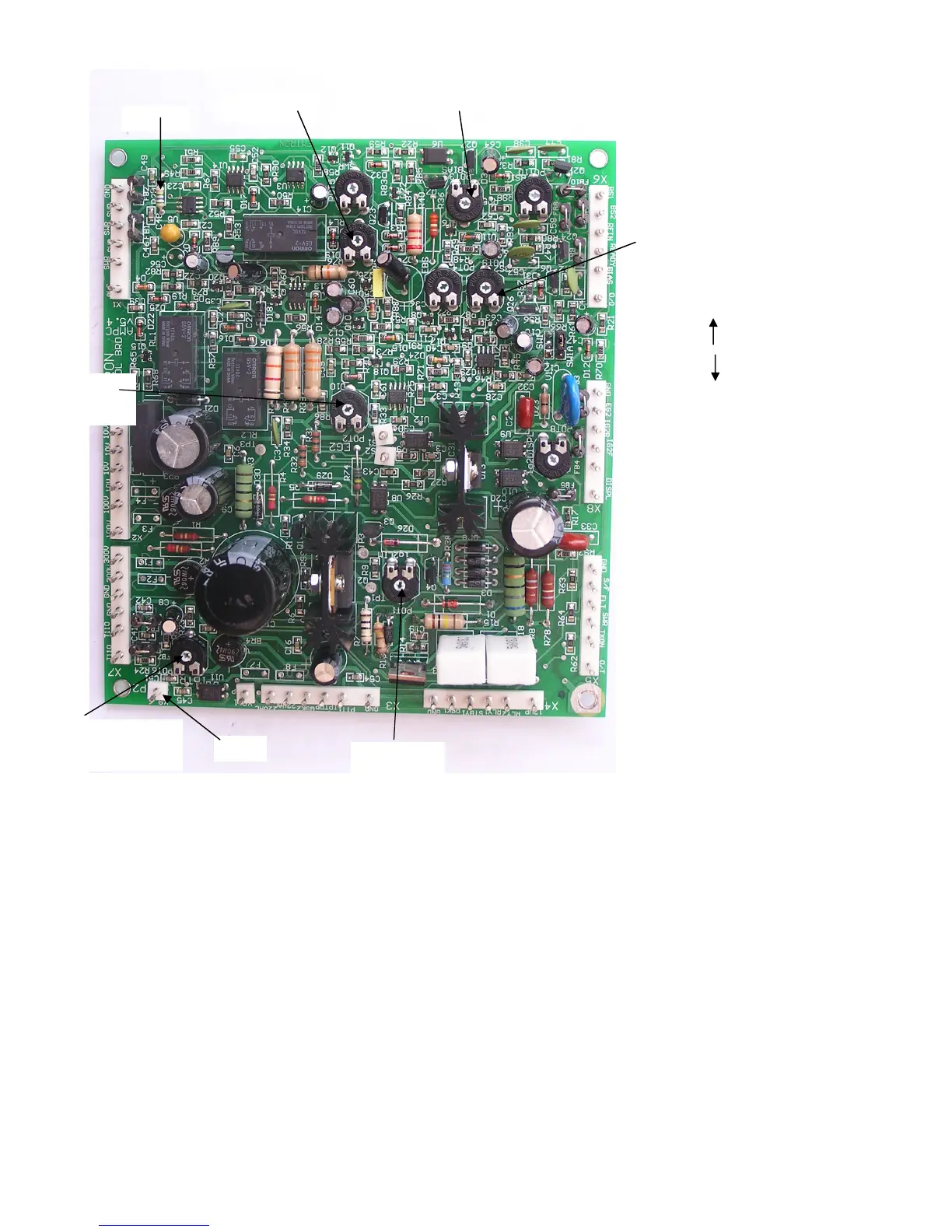
Figure 22 Control Board – Component side view
17.2 Display Board Adjustments
The display board is pre-adjusted during testing. However, when a new display board is installed in the amplifier, most adjustments
need to be fine-tuned. Remove the front panel glass to gain access to adjustments. The ig2+ adjustment is recommended also when the
control board is replaced.
17.2.1 PLATE CURRENT
Adjustment: VR4, Marked: AMP
Connect a power supply to pin TP2 on the control board: negative to TP2, positive to the chassis.
Apply a current with a value of 1 A.
BIAS
SWR
SCREEN
VOLTAGE
SCREEN
CURRENT
LIMIT
Ip PROTECTION
EBS
SENSITIVITY
EBS ON
EBS OFF
PRE-BIAS
TP2
R20


 To Next Page