Change settings and press
[Save]
button at the bottom to the changed
settings. Click
[ System > Reboot ]
to start reboot.
6.1
Change Tx / Rx settings
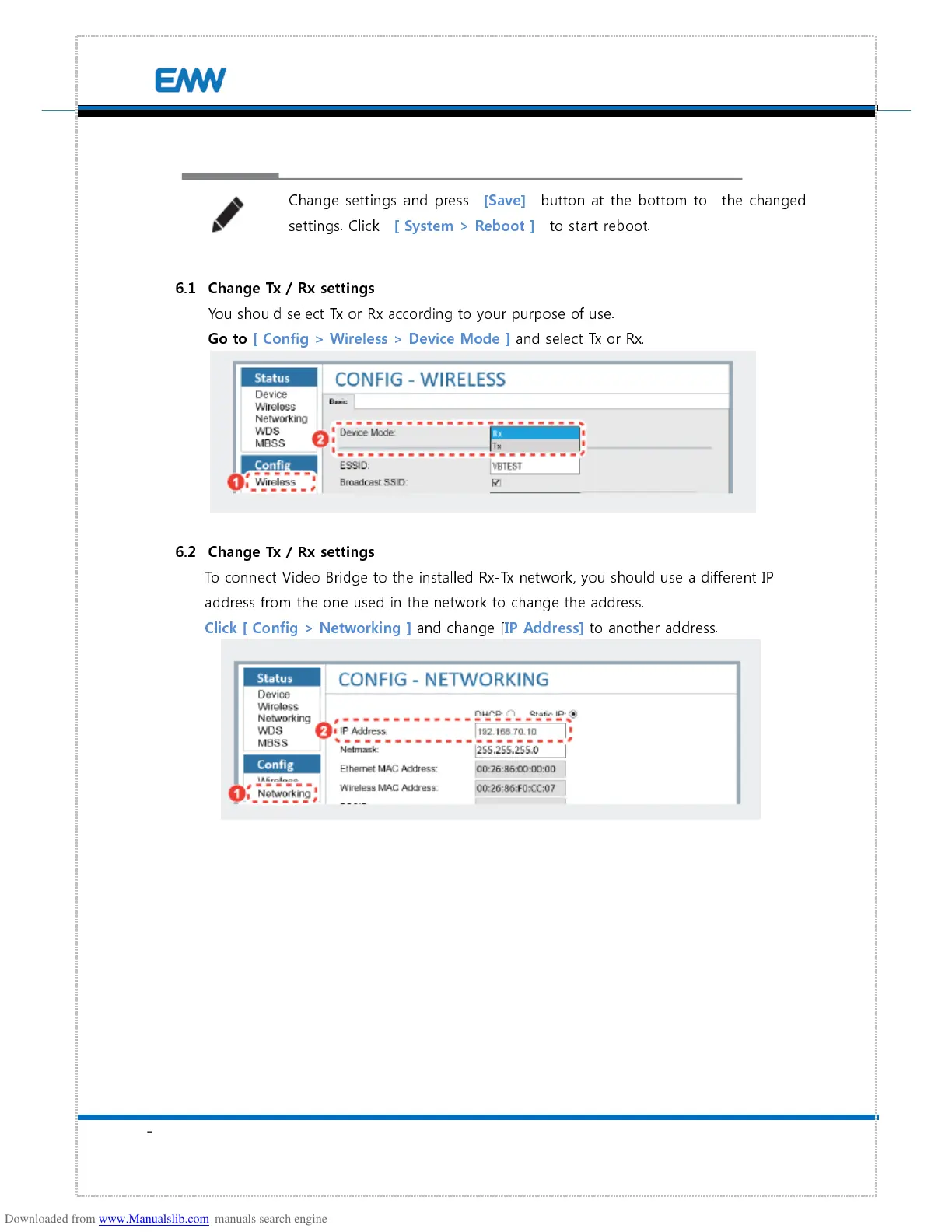
You should select Tx or Rx according to your purpose of use.
Go to [ Config > Wireless > Device Mode ]
and select Tx or Rx.
6.2
Change Tx / Rx settings
To connect Video Bridge to the installed Rx-Tx network, you should use a different IP
address from the one used in the network to change the address.
Click [ Config > Networking ]
and change [
IP Address]
to another address.


 To Next Page