6.3
Change Channel
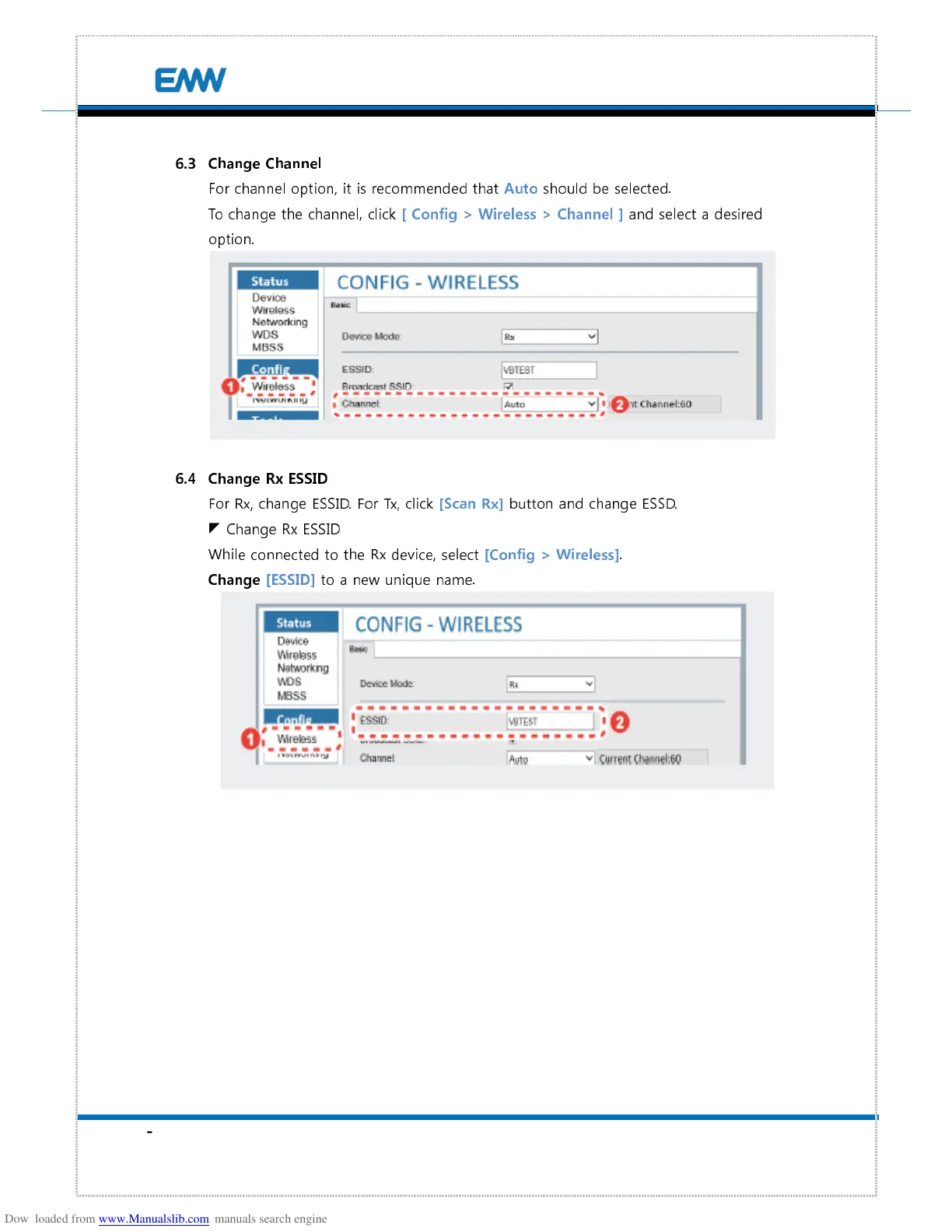
For channel option, it is recommended that
Auto
should be selected.
To change the channel, click
[ Config > Wireless > Channel ]
and select a desired
option.
6.4
Change Rx ESSID
For Rx, change ESSID. For Tx, click
[Scan Rx]
button and change ESSD.
Change Rx ESSID
While connected to the Rx device, select
[Config > Wireless]
.
Change [ESSID]
to a new unique name.


 To Next Page