EasyManua.ls Logo

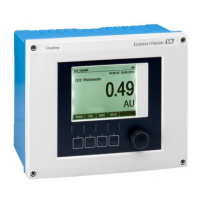
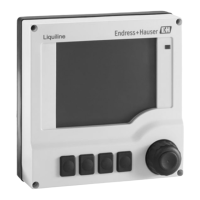
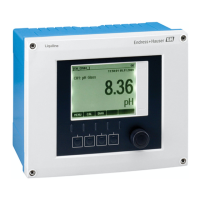
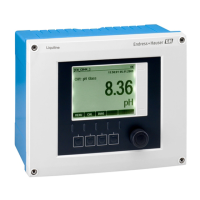
Endress+Hauser Liquiline CM442 - User Manual

Endress+Hauser Liquiline CM442
178 pages
Print Icon
To Next Page IconTo Next Page
Loading...
Products Solutions Services
BA00444C/07/EN/17.13
71238290
Valid as of:
Softwareversion 01.05.00
Operating Instructions
Liquiline
CM442/CM444/CM448
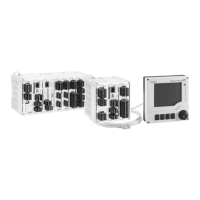
Universal four-wire multichannel controller
Field device

Table of Contents

Other manuals for Endress+Hauser Liquiline CM442

Questions and Answers

  • B
    Brandy DouglasJul 31, 2025
    Why Endress+Hauser Liquiline CM442 display is dark?
    • O
      Oscar MayJul 31, 2025
      The display might be dark because there is no supply voltage. In this case, check if the supply voltage is applied. Alternatively, the base module could be defective, requiring replacement.
  • A
    Alexander BurgessAug 4, 2025
    What to do if Endress+Hauser Controller values appear but display doesn't change or device cannot be operated?
    • S
      swheelerAug 4, 2025
      If values appear on the display of your Endress+Hauser Controller, but the display doesn't change or the device cannot be operated, first check the modules and wiring to ensure they are correctly connected. If the wiring is correct, the issue might be an impermissible operating system condition. Try switching the device off and then on again.
  • E
    Erica CastilloAug 8, 2025
    Why Endress+Hauser Liquiline CM442 has no current output signal?
    • V
      Victoria CooperAug 9, 2025
      If there is no current output signal from your Endress+Hauser Controller, the base module might be defective. Check this by using the integrated current simulation and connecting a mA meter directly to the current output.
  • C
    Carol MarshAug 13, 2025
    What to do if Endress+Hauser Liquiline CM442 current output shows incorrect current value?
    • P
      perezeugeneAug 13, 2025
      If the current output of your Endress+Hauser Controller shows an incorrect value, begin by checking the adjustment using the integrated current simulation and connecting a mA meter directly to the current output. Note that a load that is too large or a shunt/short to ground in the current loop can also cause this issue.
  • A
    amandafitzgeraldAug 17, 2025
    How to troubleshoot implausible measured values on Endress+Hauser Liquiline CM442?
    • S
      Sierra RamirezAug 17, 2025
      If you are getting implausible measured values on your Endress+Hauser Controller, the inputs might be defective. You should perform tests and take measures as outlined in 'Process-specific errors' section Measuring input test: ? Connect the Memocheck Sim CYP03D to the input and use it to check the function of the input.
  • M
    Maxwell LewisAug 21, 2025
    What to do if Endress+Hauser Liquiline CM442 display doesn't change?
    • M
      Mrs. Paula WadeAug 21, 2025
      If the Endress+Hauser Controller display shows values but doesn't change or cannot be operated, check the module wiring. Also, try switching the device off and on again.
  • R
    rosalesjanetAug 27, 2025
    Why is my Endress+Hauser Liquiline CM442 display dark?
    • F
      fcarrollAug 27, 2025
      If the Endress+Hauser Controller display is dark, check if the supply voltage is applied. If the supply voltage is present, the base module may be defective and require replacement.

Summary

Document Information

Warnings and Symbols

Safety message structure, meaning, and usage of symbols.

Basic Safety Instructions

Personnel Requirements and Designated Use

Outlines personnel qualifications and intended applications.

Operational and Product Safety

Precautions during operation and product safety considerations.

Installation

Mounting the Device

Provides instructions for mounting the device using various kits.

Electrical Connection

Connection Conditions and Remote Operation

Outlines conditions for remote operation via HART, PROFIBUS, Modbus, Ethernet.

Device Connection and Wiring

Step-by-step guide for opening housing, connecting cables, and sensors.

Digital Communication and Hardware Settings

Covers communication interfaces and bus address configuration.

System Integration

Web Server

Describes connecting to and using the web server for configuration and data access.

Fieldbuses

Details communication via HART, PROFIBUS DP, Modbus, and EtherNet/IP.

Operation Options

Accessing the Operating Menu

Explains how to navigate and operate the device via the local display.

Configuration Options

Details various ways to configure parameters like display, picklists, numerical values, and text.

Commissioning

Basic Setup and Display Settings

Guide to making essential settings like device tag, date, time, and display configuration.

Operation

General Settings

Configuration of device tag, temperature unit, output ranges, and alarm settings.

Additional Functions

Configuration of limit switches, controllers, cleaning programs, and mathematical functions.

Diagnostics and Troubleshooting

General Troubleshooting

Steps for diagnosing and resolving general issues and errors.

Adjusting Diagnostic Behavior

Configuring how diagnostic messages are displayed and handled.

Overview of Diagnostic Information

Lists device-specific and general diagnostic messages with remedies.

Technical Data

Installation and Operation in Hazardous Environment Class I Div. 2

Endress+Hauser Liquiline CM442 Specifications

General IconGeneral
MountingPanel mount
Device TypeController
Measurement ParameterConductivity, Resistivity
Accuracy (Conductivity)±0.5% of reading
Temperature Measurement-20 to 100 °C
Temperature CompensationAutomatic
Inputs1 x Memosens input
Outputs0/4 to 20 mA, relays
Communication ProtocolsPROFIBUS DP, Modbus RS485, Ethernet/IP
Power Supply24 V DC
DisplayLCD
EnclosureIP66 / NEMA 4X
Housing MaterialPolycarbonate
Operating Temperature-20 to 60 °C
Relative Humidity0 to 95% (non-condensing)

Related product manuals