EasyManua.ls Logo

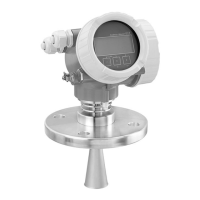
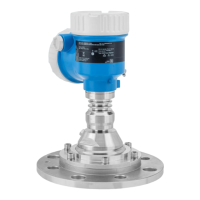
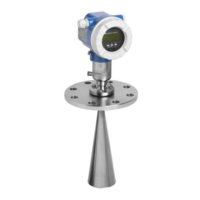
Endress+Hauser Micropilot FMR53 - User Manual

Endress+Hauser Micropilot FMR53
64 pages
Print Icon
To Next Page IconTo Next Page
Loading...
Products Solutions Services
Brief Operating Instructions
Micropilot FMR53, FMR54
HART
Free space radar
These Instructions are Brief Operating Instructions; they are
not a substitute for the Operating Instructions pertaining to
the device.
Detailed information about the device can be found in the
Operating Instructions and the other documentation:
Available for all device versions via:
Internet: www.endress.com/deviceviewer
Smart phone/tablet: Endress+Hauser Operations App
KA01101F/00/EN/05.18
71394708
2018-04-12

Other manuals for Endress+Hauser Micropilot FMR53

Questions and Answers

  • F
    feliciahuangAug 19, 2025
    What to do if Endress+Hauser Radar device does not respond?
    • A
      Alexander ShafferAug 19, 2025
      If the Endress+Hauser Radar device does not respond, ensure that the supply voltage matches the value indicated on the nameplate by connecting the correct voltage. Also, check and correct the polarity if it's wrong. Finally, ensure proper electrical contact between the cables and terminals.
  • R
    rebeccadavisAug 21, 2025
    Why does Endress+Hauser Micropilot FMR53 display a level when the tank is empty?
    • R
      richardjohnsonAug 21, 2025
      If the Endress+Hauser Radar displays a level when the tank is empty, it's likely due to an interference echo. Perform a mapping over the entire measuring range when the tank is empty by using the Confirm distance parameter.
  • D
    David StuartAug 23, 2025
    Why is the measured value incorrect on my Endress+Hauser Micropilot FMR53?
    • T
      Thomas BlairAug 25, 2025
      If the measured value on your Endress+Hauser Radar is incorrect, check and adjust the Empty calibration parameter and the Full calibration parameter. If necessary, check and adjust linearization. For measurements in bypasses or stilling wells, select the correct Tank type (Bypass / pipe) and enter the correct diameter in the Tube diameter parameter. You may also need to enter the correct value in the Level correction parameter.
  • V
    Victor FernandezAug 26, 2025
    How to fix invisible values on Endress+Hauser Micropilot FMR53 Radar display?
    • D
      Daniel GordonAug 26, 2025
      If the values on the Endress+Hauser Radar display are invisible, you can try the following: * Increase contrast by pressing the appropriate buttons simultaneously. * Decrease contrast by pressing the appropriate buttons simultaneously. * Connect the plug correctly. * If the display is defective, replace it.
  • K
    Kristin HumphreyAug 28, 2025
    How to troubleshoot HART communication on Endress+Hauser Micropilot FMR53?
    • D
      Dylan BeckAug 28, 2025
      If the HART communication on your Endress+Hauser Radar does not function, ensure the communication resistor is correctly installed. Connect the Commubox correctly and set the selection switch of the Commubox to the HART position.
  • V
    Vanessa WebsterAug 30, 2025
    Why does the measured value jump sporadically on Endress+Hauser Radar?
    • T
      travisgrayAug 30, 2025
      If the surface is not calm and the measured value jumps sporadically to a higher level on your Endress+Hauser Radar, the signal is weakened by the rough surface. Perform tank mapping and select the tank type as 'Process vessel with agitator'. Increase the integration time and optimize the antenna orientation. Selecting a better mounting position or a larger antenna may also help.
  • B
    Brandon BrowningSep 2, 2025
    Why does CDI communication not work with Endress+Hauser Micropilot FMR53?
    • M
      Martin FoxSep 2, 2025
      If the CDI communication does not work on your Endress+Hauser Radar, check the setting of the COM port on the computer and change it if necessary.
  • B
    brett13Sep 4, 2025
    Why does measured value jump downwards on Endress+Hauser Radar?
    • M
      martinsummerSep 4, 2025
      If the measured value jumps downwards during filling or emptying with the Endress+Hauser Radar, multiple echoes may be the cause. Check the Tank type parameter. Avoid a central installation position if possible and consider using a stilling well.
  • J
    jcopelandSep 6, 2025
    What does 'Communication error' mean on Endress+Hauser Micropilot FMR53 display?
    • P
      Paul GrantSep 6, 2025
      If the Endress+Hauser Radar shows "Communication error" on the display, check the grounding of the device to rule out electromagnetic interference. If the problem persists, the display cable or plug might be broken, consider exchanging the display.
  • R
    Robert WardSep 8, 2025
    What does error message F941 mean on Endress+Hauser Micropilot FMR53?
    • H
      Heidi MyersSep 8, 2025
      If the Endress+Hauser Radar shows an error message F941 or S941 "Echo lost", it indicates that the level echo is too weak or suppressed. Check the Medium group parameter and select a more detailed setting in the Medium property parameter if necessary. Optimize the alignment of the antenna and consider a better installation position or a larger antenna. If the echo is suppressed, delete the mapping and record it again.

Endress+Hauser Micropilot FMR53 Specifications

General IconGeneral
BrandEndress+Hauser
ModelMicropilot FMR53
CategoryRadar
LanguageEnglish

Related product manuals