EasyManua.ls Logo

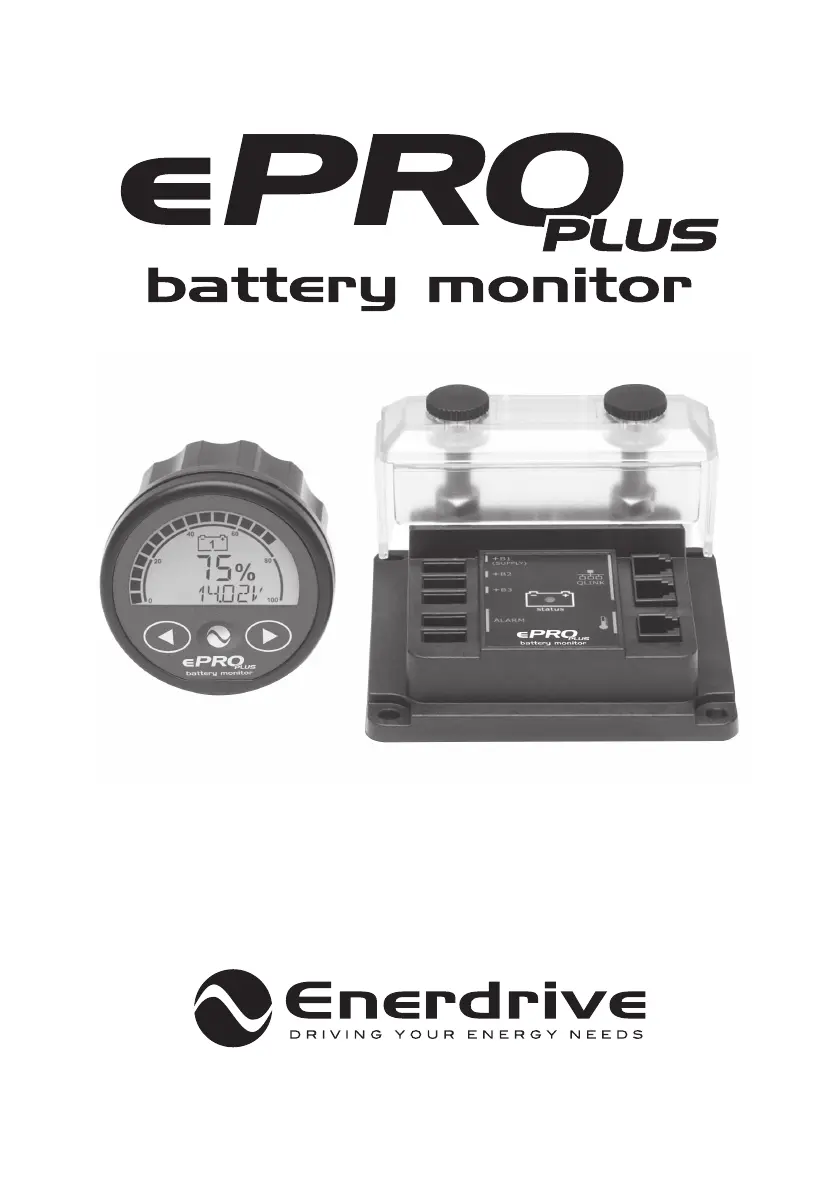
Enerdrive ePro Plus - User Manual

Enerdrive ePro Plus
44 pages
Print Icon
To Next Page IconTo Next Page
Loading...
Owners Manual
High Precision Module Battery Monitor
Enerdrive ePRO Plus Battery Monitor Owners Manual (Rev. 1.03) January 2019

Other manuals for Enerdrive ePro Plus

Questions and Answers

  • O
    oreevesAug 7, 2025
    Why does my Enerdrive Measuring Instruments current readout show the wrong polarity?
    • B
      byrdjosephAug 7, 2025
      If the current readout on your Enerdrive Measuring Instruments shows the wrong polarity (positive when discharging, negative when charging), it's likely the shunt is installed in reverse. Ensure the ‘Battery –‘ bolt is connected to the battery's negative terminal and the ‘System –‘ bolt connects to the battery loads.
  • M
    Martin ArnoldAug 15, 2025
    What to do if Enerdrive ePro Plus State of Charge is not accurate?
    • A
      Amy BurkeAug 16, 2025
      If the State of Charge or Time Remaining readout on your Enerdrive Measuring Instruments isn't accurate, consider the following: * Ensure all current flows through the shunt, with the battery's negative terminal connected only to the ‘battery –‘ side of the shunt. * Verify the shunt isn't installed in reverse; the ‘Battery –‘ bolt should connect to the battery's negative terminal, and the ‘System –‘ bolt to the battery loads. * Confirm that all battery properties (F1.x) are correctly configured. * Ensure the battery monitor is synced with your battery by performing a full charge cycle.
  • D
    David CamachoAug 26, 2025
    How to troubleshoot Enerdrive ePro Plus monitor that doesn’t operate?
    • L
      lisa44Aug 26, 2025
      If your Enerdrive Measuring Instruments monitor isn’t operating (no LED on the shunt or no display on the CDU), try these steps: 1. Check the shunt and battery side connections. 2. Check the QLink cable connection to the CDU. 3. Ensure the inline fuse of the supply wire is installed and not blown. 4. Verify the battery voltage is above 6.5V. 5. Restart the monitor by removing and reconnecting the supply wire.

Summary

Introduction

General Overview

General overview and safety instructions for the ePRO Plus battery monitor.

Box Contents

Lists all items included in the ePRO Plus battery monitor package.

Why Monitor Battery Health

Explains the importance of monitoring battery health and capacity for optimal performance.

ePRO Plus Highlights

Details the key features and advanced capabilities of the ePRO Plus battery monitor.

CDU Display and Control Overview

Explains the functions of the Display and Control Unit (CDU) and its controls.

Active Shunt Status Indicator

Describes the status indicator light on the active shunt and its operating modes.

Quickstart

General Quickstart

Provides essential steps to get the ePRO Plus battery monitor operational quickly.

Setup Wizard Guide

Guides users through the initial configuration steps for the battery monitor.

Normal Operating Mode

Parameter Readout Overview

Explains the various battery parameters displayed in normal operation mode.

Display Messages Explained

Lists and explains the different status and error messages shown on the ePRO Plus display.

Battery Synchronization

Details the process of synchronizing the ePRO Plus with the battery for accurate readings.

Status Menu

History Menu

Function Setup Menu

Battery Bank 1 (Main) Properties

Configures settings for the main battery bank, including type and capacity.

Battery Bank 2 Properties

Configures settings for the second battery bank, including its function and type.

Battery Bank 3 Properties

Configures settings for the third battery bank, including its function and type.

System Properties Configuration

Adjusts system-wide settings like time remaining averaging and maintenance intervals.

Alarm Properties Setup

Configures up to four independent alarms for various battery monitoring parameters.

Display Properties Customization

Personalizes the normal operating mode display by enabling/disabling parameters.

Global Properties Settings

Sets global parameters like backlight timer and alarm contact polarity.

Advanced Properties Configuration

Configures advanced features like auto-sync mode and cell count.

Reset Menu

Lock Menu

Locking The ePRO Plus

Explains how to lock the Function setup and Reset menus with a PIN code.

Unlocking The ePRO Plus

Details the procedure to unlock the ePRO Plus menus using the previously set PIN code.

Troubleshooting Guideline

Technical Specifications

Warranty Conditions

Declaration of Conformity

Appendix 1: Midpoint Voltage Measurement

Measuring Midpoint Voltage

Explains how to measure midpoint voltage in 24V/48V battery banks.

Wiring for Midpoint Measurement

Provides wiring diagrams and instructions for connecting batteries for voltage measurement.

Practical Information on Midpoint Deviation

Offers practical advice on midpoint deviation and alarm handling for battery monitoring.

Enerdrive ePro Plus Specifications

General IconGeneral
CategoryBattery Monitor
Current Measurement±500A
Accuracy±0.3%
Shunt Voltage Drop50 mV
DisplayLCD
Operating Temperature-20°C to +50°C
Battery CapacityUp to 9999Ah

Related product manuals