93Operating and maintenance instructions for the ventilation unit
The control panel sends an alarm – what
must be done?
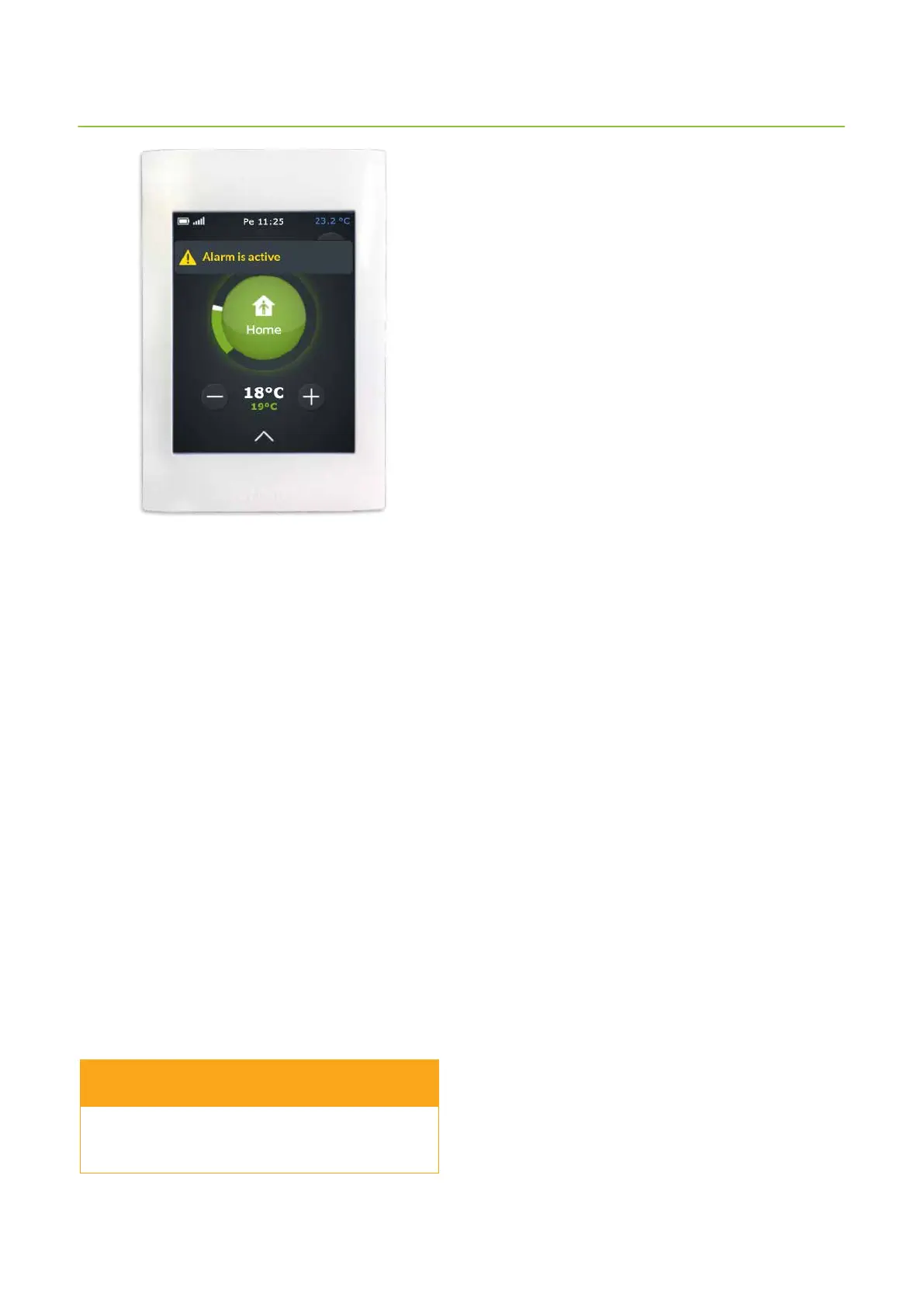
If the control panel is alarming, it is shown in yellow on
the main page, reading Alarm is active.
If you notice that the ventilation system has sent an alarm:
1. On the control panel main page you can
- tap the alarm notication text or
- tap the arrow at the bottom of the screen and then
tap the Alarms icon.
2. Alarms window opens and the new alarm is shown
rst in the list.
At rst glance you can see:
- which alarm was sent
- when the alarm was sent
If you need more information, tap the alarm row and
an instruction will display on the screen. Tapping the
active alarm row also displays Acknowledge button.
3. Check the Troubleshooting table at the end of this
document to see if the issue can be solved. If it
is a more dicult problem, contact the installing
technician.
Do not acknowledge the alarm before you have
solved the issue causing the alarm.
WARNING



 To Next Page