EasyManua.ls Logo

Engcon MIG2 CAN - User Manual

Engcon MIG2 CAN
32 pages
Print Icon
To Next Page IconTo Next Page
Loading...
Installation instructions
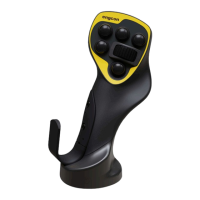
MIG2 CAN
engcon for Doosan | 8001850, MIG2-299-MAP51-CAN-4R-13B-1NO-Doosan
Article 9000674 | Version 1.2
Installation instructions in English
Question and Answer IconNeed help?

Do you have a question about the Engcon MIG2 CAN and is the answer not in the manual?

Summary

Introduction and General Information

General Information

Details about the installation instructions and their use.

Scrapping and Recycling Guidelines

Guidelines for environmentally responsible disposal of materials.

Technical Support and Spare Parts

Information on obtaining support and replacement parts.

Product Approval and Declarations

Declaration of Incorporation

Declaration of incorporation of partly completed machinery.

EU Declaration of Conformity

EU Declaration of Conformity for the control system.

Safety Information

General Safety Warnings

Explanation of warning levels (Danger, Warning, Caution, Important) and their meanings.

Delivery Contents

Included Components

List of part numbers and designations included in the delivery.

Installation Procedures

Installer Responsibility

Outlines the responsibilities of the installer during the process.

Measure Original Joystick Height

Step to measure the height of the original joystick for fitting.

Remove Original Joystick

Procedure for removing the original joystick and its cabling.

Fit Attachment Bolt and Lock Nut

Instructions for fitting the attachment bolt and lock nut.

Cable Routing

Guidance on how to route the cable around the attachment bolt.

Attachment Point Adjustment

Steps for exposing the ball joint and adjusting the grip.

Joystick Reinstallation

Securing cables using ties and continuing cabling.

Cover Plate and Hand Rest Installation

Installing cover plates and hand rests on the joystick.

Attachment Kit Details

Information on left and right attachment kits.

Bellows Washer Standard

Installation of the bellows washer.

MIG2 CAN Overview

Identification of components and connections for MIG2 CAN.

Install Break-out Cable

Procedure to connect the break-out cable.

Connect MIG2 CAN to Break-out Cable

Connecting the MIG2 CAN to the break-out cable.

Connect MIG2 CAN to Machine

Connecting the MIG2 CAN to the machine's cabling.

Build Your MIG2 Decal

Using decal sheets to label joystick functions.

Apply Decals

Affixing MIG2 decals in the operator's cab.

Cut Away Misleading Decals

Removing misleading information from original machine decals.

On Completion Checks

Document Checks

Verifying installation documentation, manuals, and decals.

Documenting the Installation

Process for recording installation details for service and warranty.

Glossary of Terms

Abbreviations

Definitions of technical terms and acronyms used in the manual.

Drawings and Schematics

Schematic 8001359

Electrical schematic for MIG2 CAN standard cable.

Schematic 8001833

Schematic for the break-out cable.

Schematic 8002010

Schematic for the horn breakout cable.

Summary

Introduction and General Information

General Information

Details about the installation instructions and their use.

Scrapping and Recycling Guidelines

Guidelines for environmentally responsible disposal of materials.

Technical Support and Spare Parts

Information on obtaining support and replacement parts.

Product Approval and Declarations

Declaration of Incorporation

Declaration of incorporation of partly completed machinery.

EU Declaration of Conformity

EU Declaration of Conformity for the control system.

Safety Information

General Safety Warnings

Explanation of warning levels (Danger, Warning, Caution, Important) and their meanings.

Delivery Contents

Included Components

List of part numbers and designations included in the delivery.

Installation Procedures

Installer Responsibility

Outlines the responsibilities of the installer during the process.

Measure Original Joystick Height

Step to measure the height of the original joystick for fitting.

Remove Original Joystick

Procedure for removing the original joystick and its cabling.

Fit Attachment Bolt and Lock Nut

Instructions for fitting the attachment bolt and lock nut.

Cable Routing

Guidance on how to route the cable around the attachment bolt.

Attachment Point Adjustment

Steps for exposing the ball joint and adjusting the grip.

Joystick Reinstallation

Securing cables using ties and continuing cabling.

Cover Plate and Hand Rest Installation

Installing cover plates and hand rests on the joystick.

Attachment Kit Details

Information on left and right attachment kits.

Bellows Washer Standard

Installation of the bellows washer.

MIG2 CAN Overview

Identification of components and connections for MIG2 CAN.

Install Break-out Cable

Procedure to connect the break-out cable.

Connect MIG2 CAN to Break-out Cable

Connecting the MIG2 CAN to the break-out cable.

Connect MIG2 CAN to Machine

Connecting the MIG2 CAN to the machine's cabling.

Build Your MIG2 Decal

Using decal sheets to label joystick functions.

Apply Decals

Affixing MIG2 decals in the operator's cab.

Cut Away Misleading Decals

Removing misleading information from original machine decals.

On Completion Checks

Document Checks

Verifying installation documentation, manuals, and decals.

Documenting the Installation

Process for recording installation details for service and warranty.

Glossary of Terms

Abbreviations

Definitions of technical terms and acronyms used in the manual.

Drawings and Schematics

Schematic 8001359

Electrical schematic for MIG2 CAN standard cable.

Schematic 8001833

Schematic for the break-out cable.

Schematic 8002010

Schematic for the horn breakout cable.

Engcon MIG2 CAN Specifications

General IconGeneral
BrandEngcon
ModelMIG2 CAN
CategoryVideo Game Controller
LanguageEnglish