33
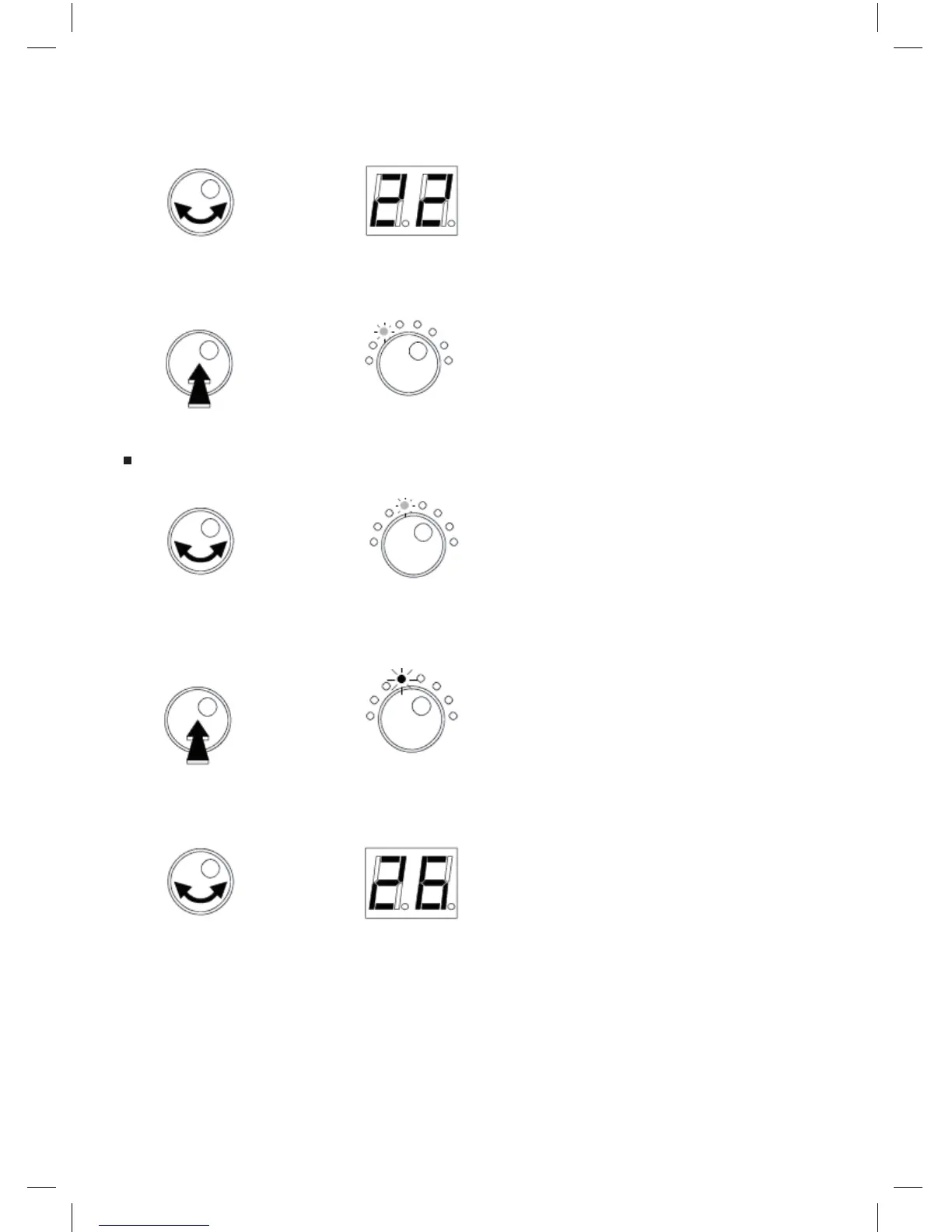
-Tourner le bouton pour sélectionner le canal le début.
Afchage
- Appuyer sur le bouton pour conrmer.
La LED est VERTE.
- Tourner le bouton pour sélectionner le mode Stop Channel (Canal de Fin).
La LED est VERTE.
- Appuyer sur le bouton rotatif pour accéder au mode sélectionné.
La LED est à présent ROUGE.
- Tourner le bouton pour sélectionner le Canal de Fin (Stop Channel).
Afchage
Start
Channel
Stop
Channel
Stop
Channel



 To Next Page