57
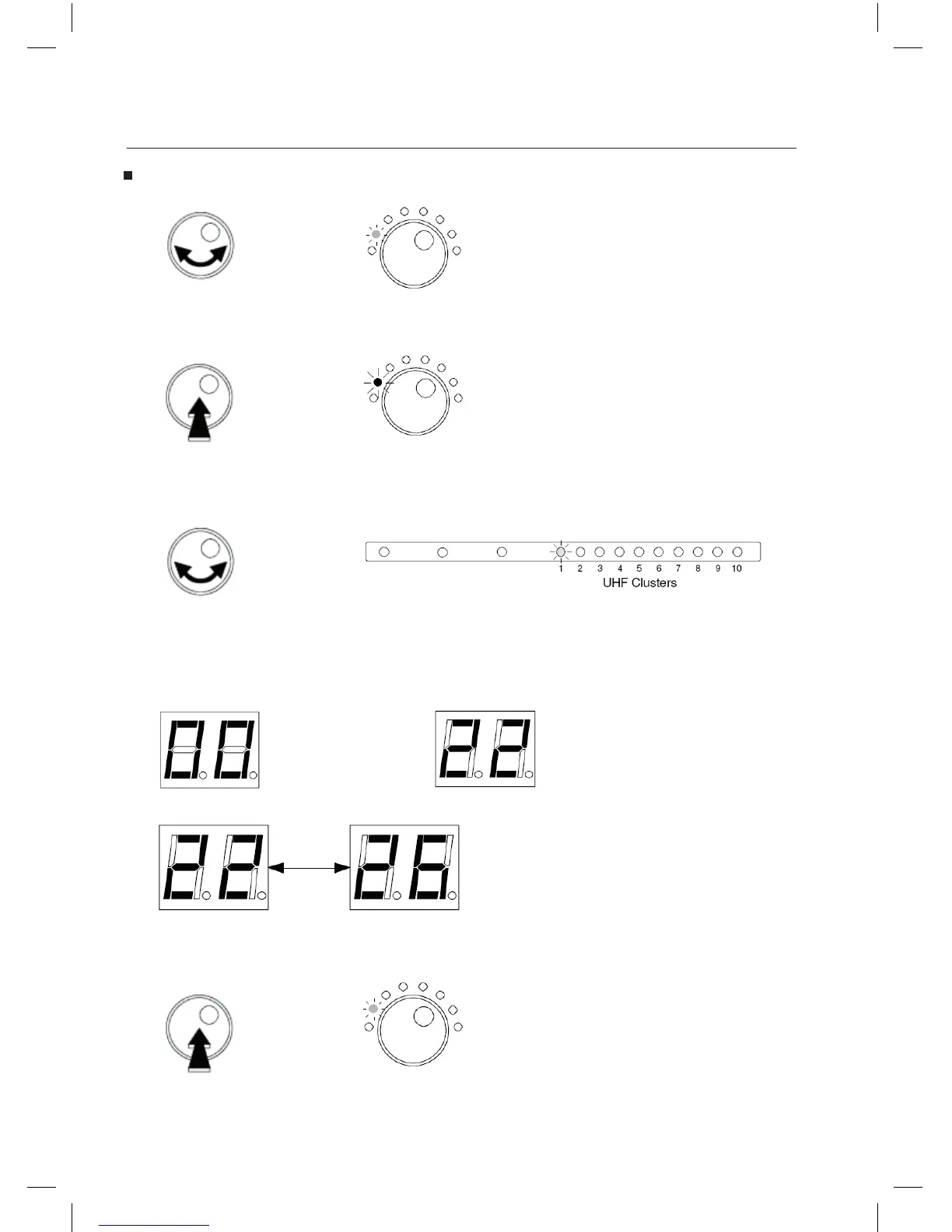
To check the channel settings of each cluster:
- Turn the rotary button to select Select Filter.
The LED is GREEN.
- Push the rotary button to enter the selected mode.
The LED is now RED colored.
- Turn the button to choose the cluster to be checked.
- The display shows the channels wich have been set.
Examples:
Cluster is parked. Cluster is set to channel 22.
Blinking 22 and 26:
Cluster is set from 22 to 26.
- Push the button to exit.
The LED is GREEN.
Select
Filter
Select
Filter
Select
Filter



 To Next Page