[pg.64]
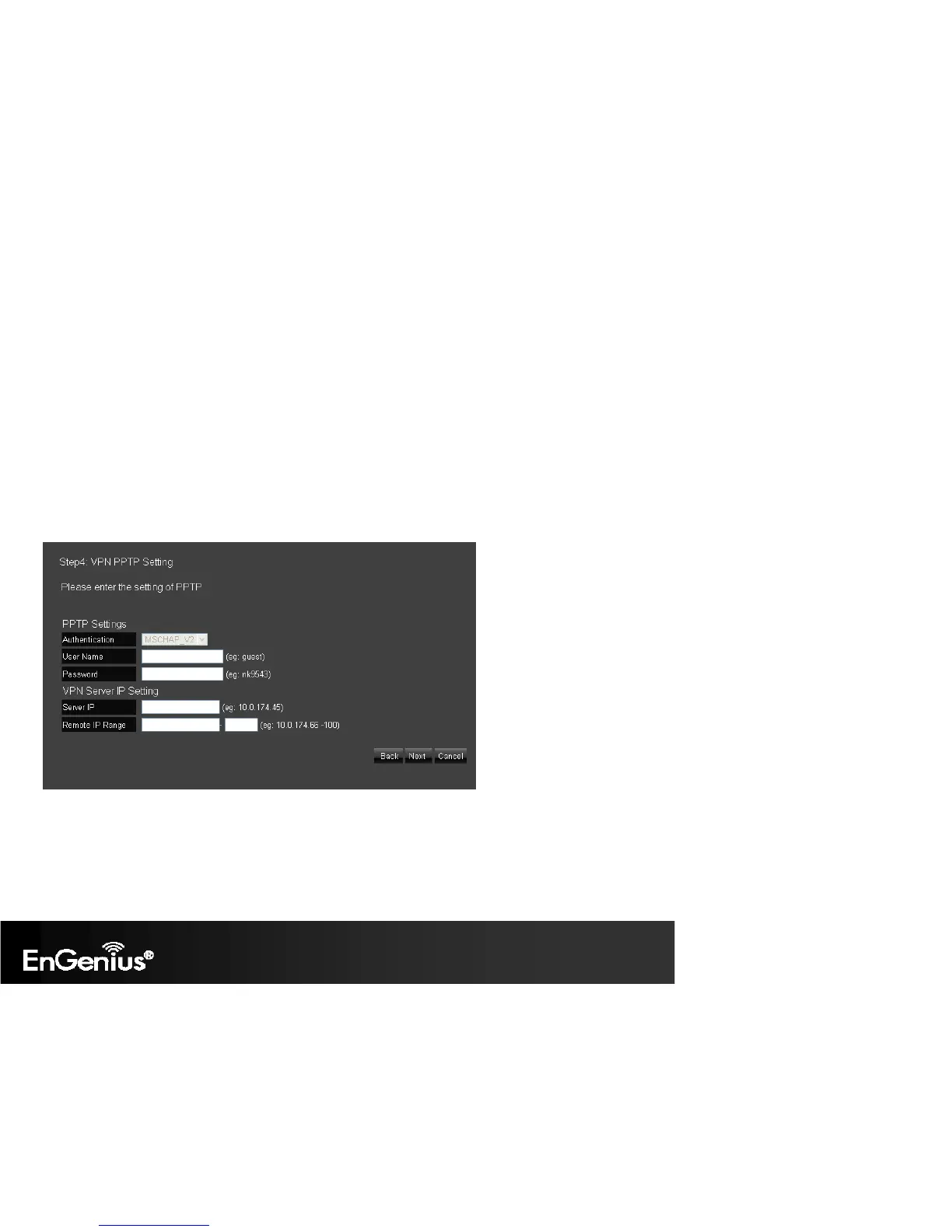
User Name: Enter the user name to connect to the PPTP server
Password: Enter the password to connect to the PPTP server
VPN Server IP Setting
Server IP: Enter an IP address which is different from your router’s LAN IP address. (example: the default LAN IP of ESR300H is 192.168.0.1. You
could create a Server IP address as 10.0.174.45)
Remote IP Range: Enter an IP range under the same subnet of the above Server IP. (example: if your Server IP address is 10.0.174.45, you could
create the remote IP Range as 10.0.174.66 – 100. The remote IP range should not include Server IP address to avoid duplicate IP addresses within
the same network.)
Click Next.


 To Next Page