[pg.83]
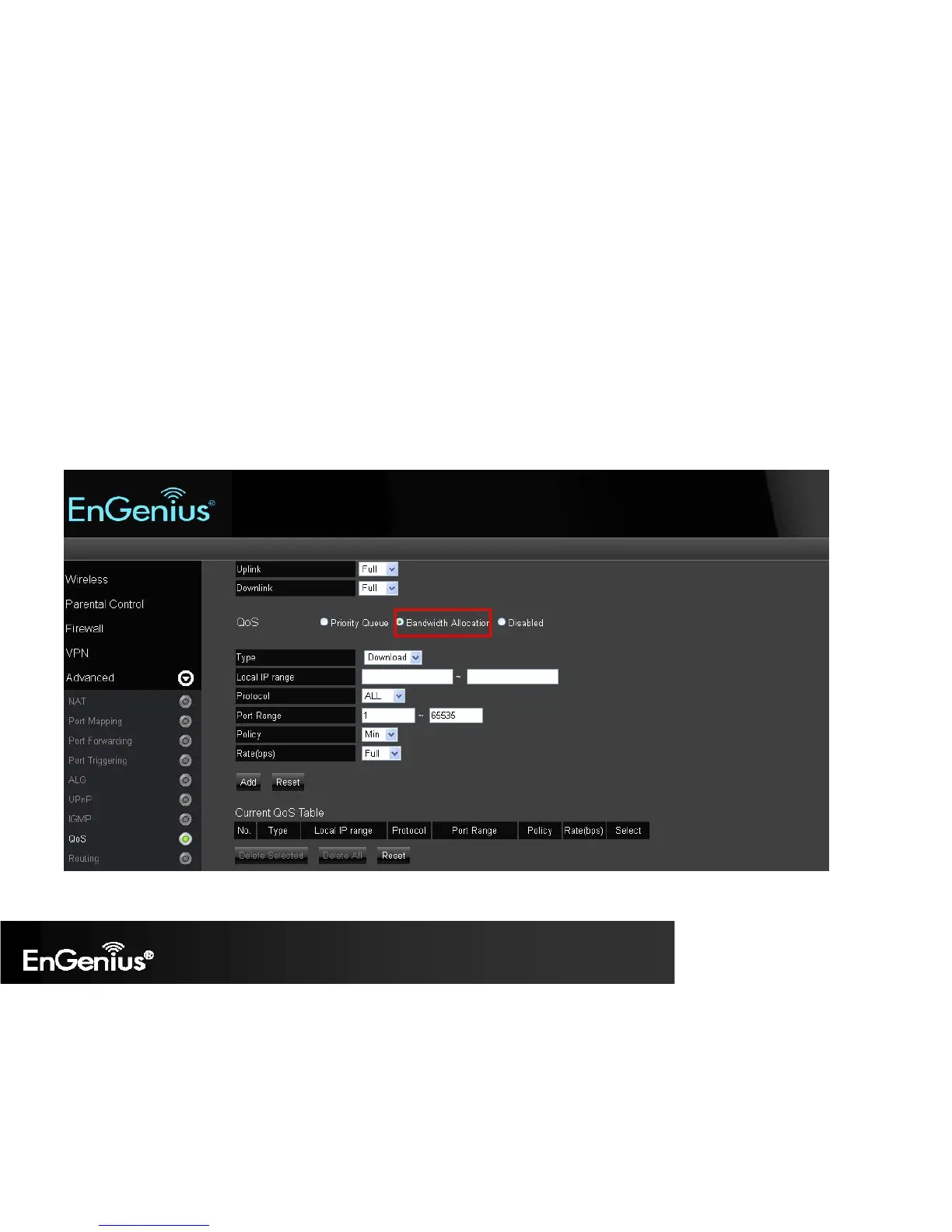
Bandwidth Allocation: You can set the bandwidth allocation type (download and/or upload). You must provide the IP and Port ranges and
select the type of protocol, policy, and rate (bps).
o Type: select Download or Upload which you want to reserve or limit the bandwidth
o Local IP Range: Enter the local IP range you wish to specify the bandwidth allocation.
o Protocol: Select the protocol you wish to reserve or limit the bandwidth
o Port Range: Enter the port range you wish to reserve or limit the bandwidth.
o Policy: Select either the Minimum or Maximum bandwidth you wish to specify
o Rate (bps): Select the desired bandwidth you would like to reserve or limit.
When the configuration is complete, click Add and your setting will be listed on the Current QoS Table.


 To Next Page