[pg.86]
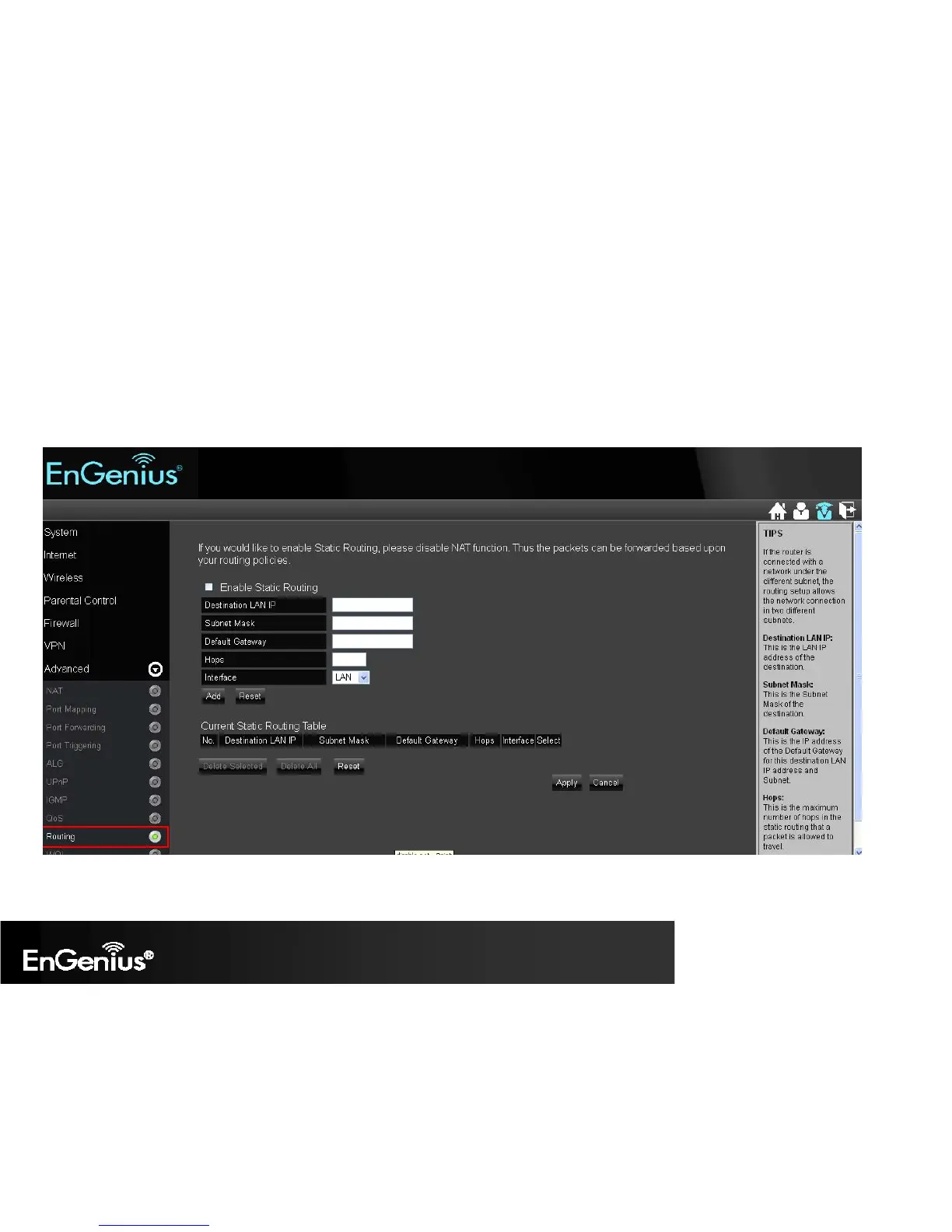
1. Enable Static Routing: Mark the checkbox to Enable Static Routing.
2. Destination LAN IP: Enter the static IP Address of the remote network to which you want to setup a static route.
3. Subnet Mask: Enter the Subnet Mask of the remote network to which you want to setup a static route.
4. Default Gateway: Enter the IP address of the Default Gateway which can connect your router with the remote network through the assigned
static route.
5. Hops: Enter the maximum hops number of the assigned static route.
6. Interface: Enter the routing interface (LAN or WAN).


 To Next Page