49
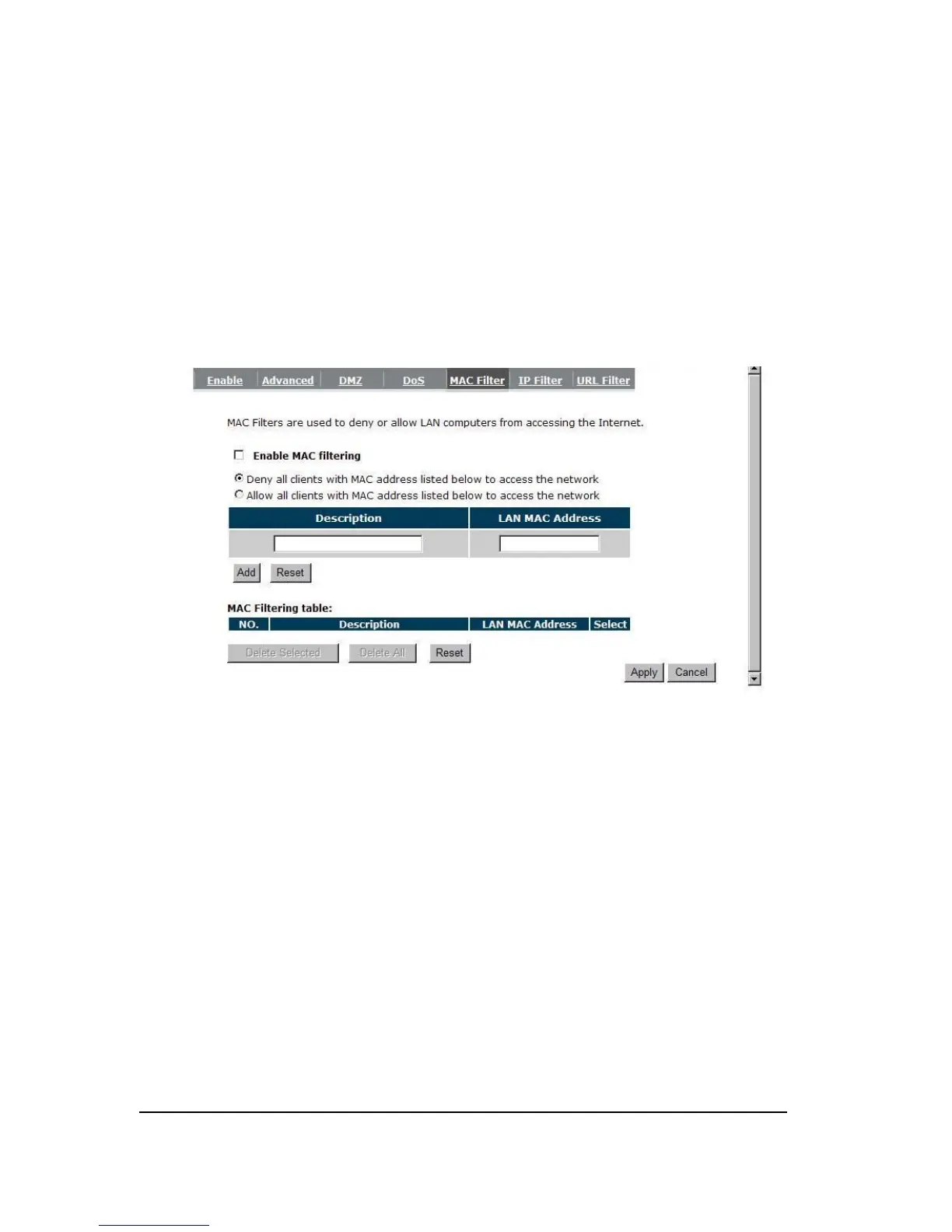
- MAC Filter
If you want to restrict users from accessing certain Internet applications / services (e.g.
Internet websites, email, FTP etc.), and then this is the place to set that configuration. MAC
Filter allows users to define the traffic type permitted in your LAN. You can control which PC
client can have access to these services.
Enable MAC Filtering: Check to enable or disable MAC Filtering.
Deny: If you select “Deny” then all clients will be allowed to access Internet except the
clients in the list below.
Allow: If you select “Allow” then all clients will be denied to access Internet except the PCs
in the list below.


 To Next Page