6.3. Tools
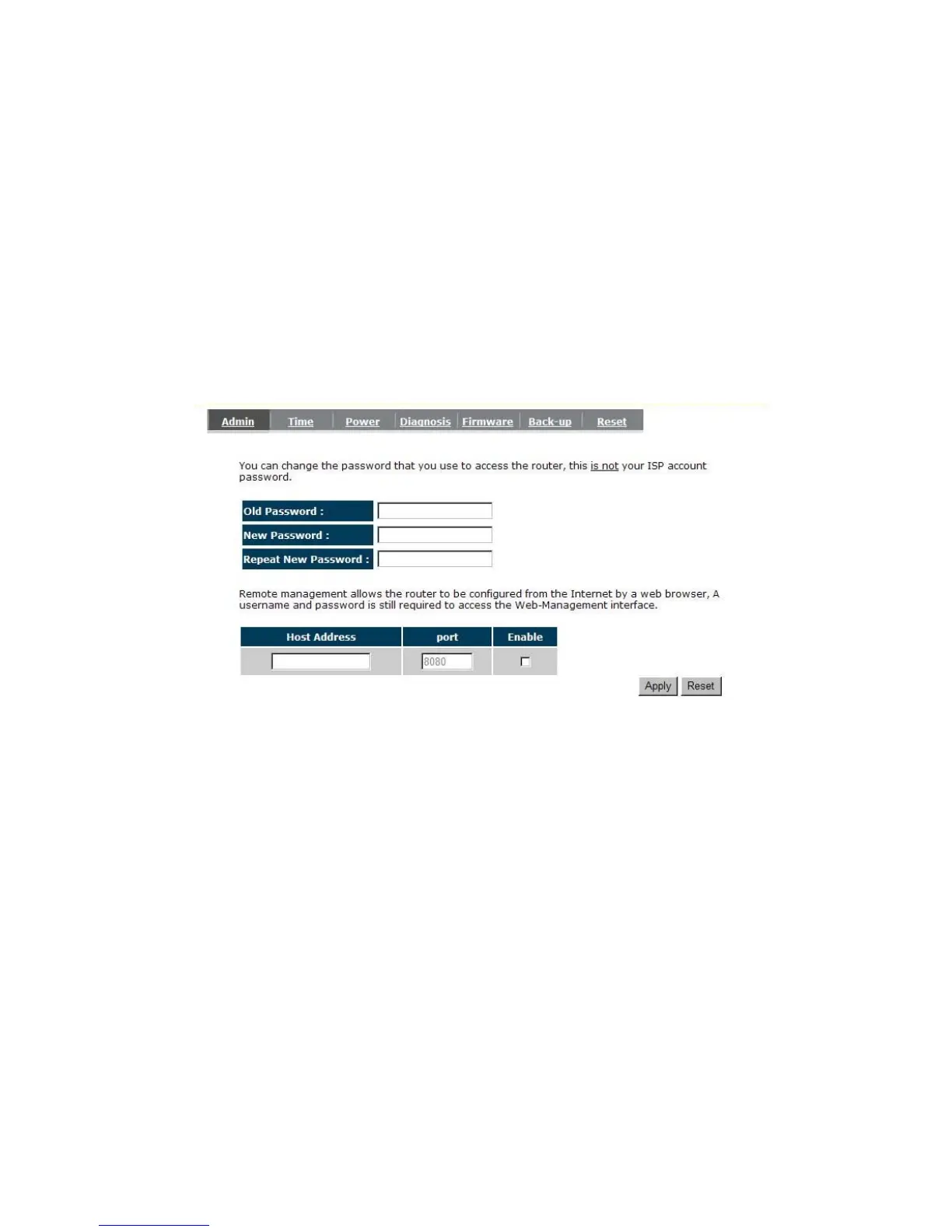
- Admin
You can change the password required to log into the Router's system web-based
management. By default, the password is: admin. Passwords can contain 0 to 12
alphanumeric characters, and are case sensitive.
Old Password: Fill in the current password to allow changing to a new password.
New Password: Enter your new password and in Repeat New Password for verification
purposes
Click <Apply> at the bottom of the screen to save the above configurations


 To Next Page