- DDNS
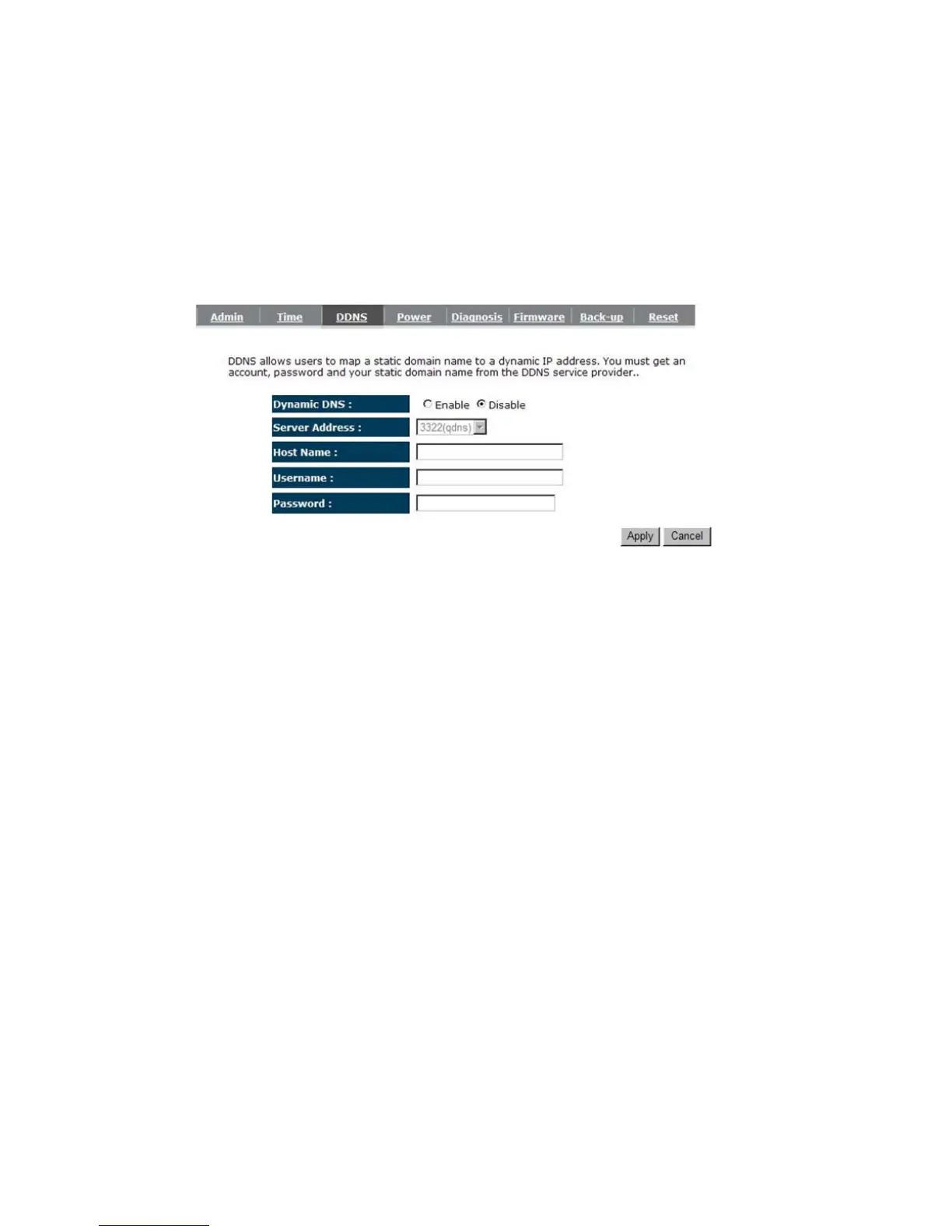
DDNS allows you to map the static domain name to a dynamic IP address. You must get
an account, password and your static domain name from the DDNS service providers. This
router supports DynDNS, TZO and other common DDNS service providers.
Enable/Disable DDNS: Enable or disable the DDNS function of this router
Server Address: Select a DDNS service provider
Host Name: Fill in your static domain name that uses DDNS.
Username: The account that your DDNS service provider assigned to you.
Password: The password you set for the DDNS service account above
Click <Apply> at the bottom of the screen to save the above configurations.


 To Next Page