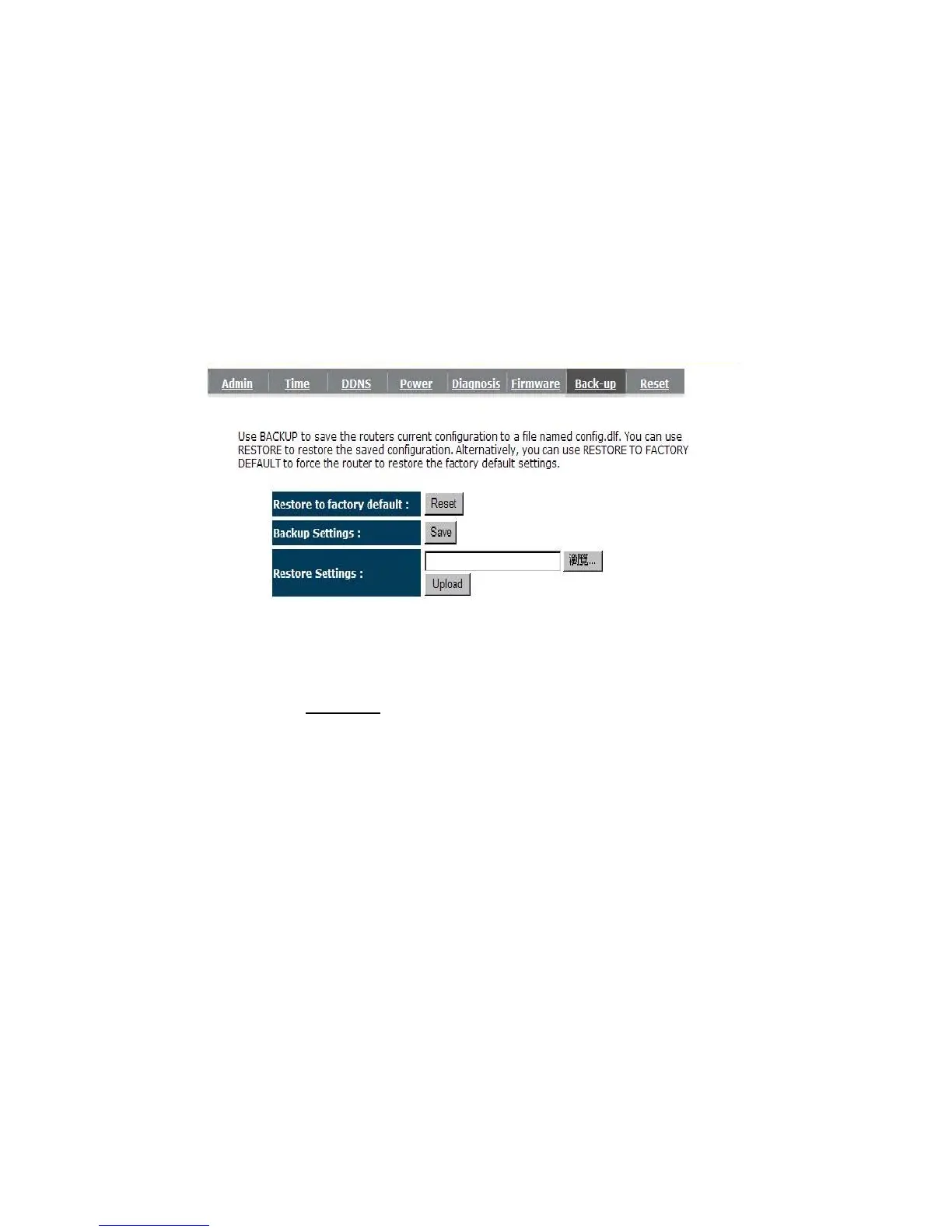
- Back-up
This page allows you to save the current router configurations. When you save the
configurations, you also can re-load the saved configurations into the router through the Restore
Settings. If extreme problems occur you can use the Restore to Factory Defaults to set all
configurations to its original default settings.
Backup Settings: This can save the Router current configuration to a file named
"config.bin
" on your PC. You can also use the <Upload> button to
restore the saved configuration to the Router. Alternatively, you can use
the "Restore to Factory Defaults" tool to force the Router to perform a
power reset and restore the original factory settings.


 To Next Page