84
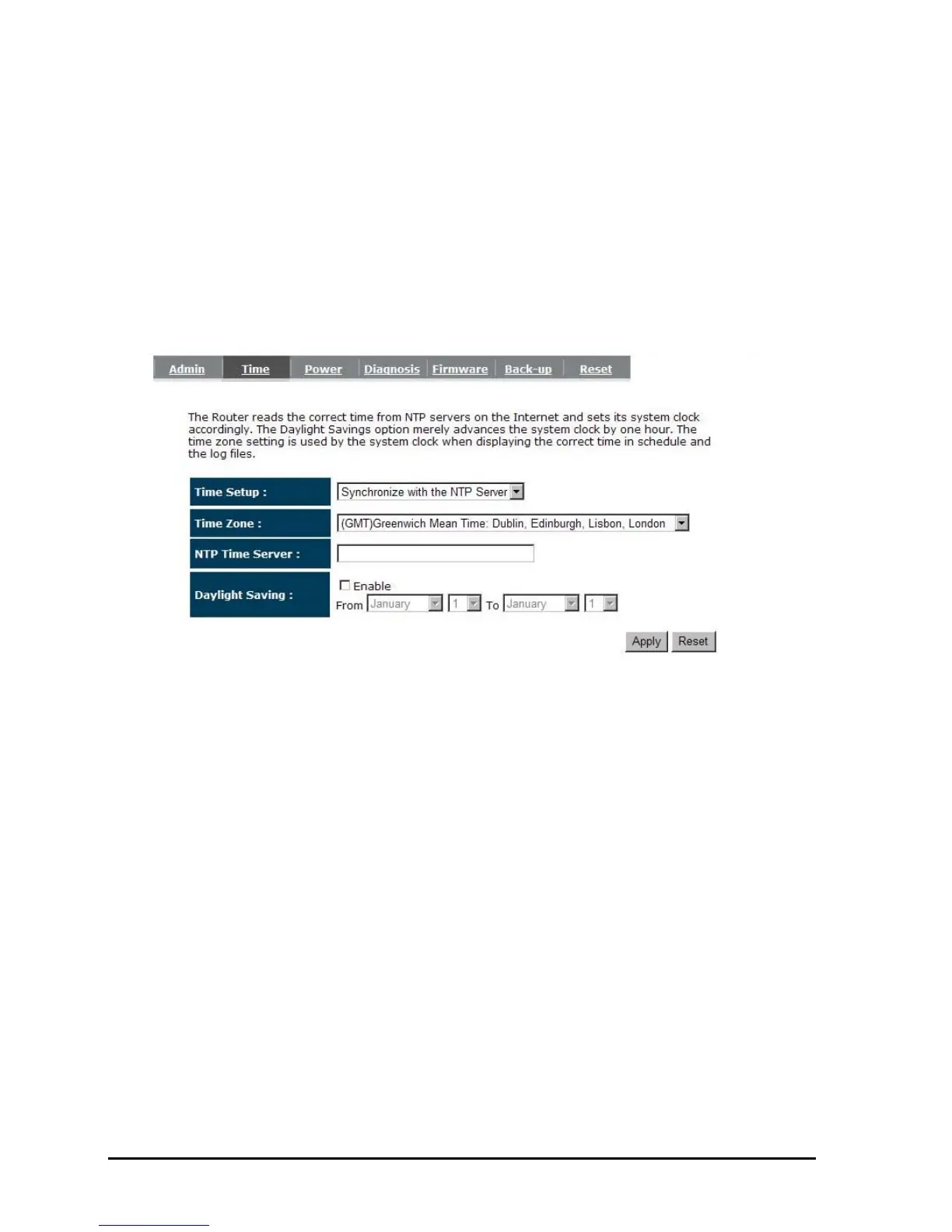
- Time
The Time Zone allows your router to reference or base its time on the settings configured
here, which will affect functions such as Event Log entries and Schedule settings.
Time Setup:
Synchronize with the NTP server
Time Zone: Select the time zone of the country you are currently in. The router will set
its time based on your selection.
NTP Time Server: This accept local the IP Address of Local NTP Time Server Address.
Daylight Savings: The router can also take Daylight Savings into account. If you wish
to use this function, you must select the Daylight Savings Time
period and check/tick the enable box to enable your daylight saving
configuration.
Click <Apply> at the bottom of the screen to save the above configurations
Synchronize with PC
You could synchronize timer with your Local PC time.



 To Next Page