8
2.2 Selecting Decibel Ranges
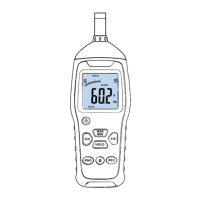
This sound level meter has three manual ranges as well as
auto-range mode. It defaults to auto-ranging on power-up with a
range of 30-130dB. The manual ranges are: 30–90dB, 50–110dB, and
70–130dB. Use the RANG button to select the preferred range. The
selected range will display in the top left and right of the LCD.
When in auto-ranging mode, the AUTO indicator will appear on
the bottom left. When selecting your range, watch for indicators
UNDER and OVER in the top of the LCD to help guide you in
selecting the best range. UNDER means you should select a lower
range. OVER means you need to select a higher range. Ideally, the
analog bar graph should be reading near the middle of the range.
When in doubt, use auto-range mode.
2.3 Maximum and Minimum Level Capture
To capture maximum sound levels, press the MAX/MIN button
once, the MAX indicator will appear on the LCD. Now, only the
maximum sound level will be captured and displayed. The


 To Next Page