EasyManua.ls Logo

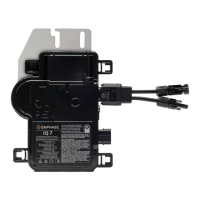
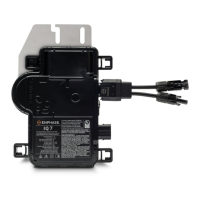
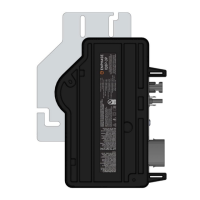
enphase IQ8 - User Manual

enphase IQ8
47 pages
Print Icon
To Next Page IconTo Next Page
Loading...
INSTALLATION AND OPERATION MANUAL
Mar 2022 © 2022 Enphase Energy Inc. All rights reserved.
Enphase
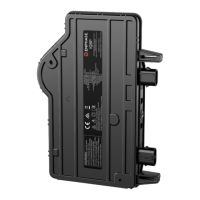
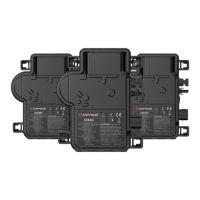
IQ8, IQ8+, IQ8M, IQ8A, and IQ8H
Microinverters

Table of Contents

Other manuals for enphase IQ8

Questions and Answers

  • T
    Tracy StrongOct 28, 2025
    How to replace an enphase IQ8 Inverter?
    • J
      Jerry CruzOct 28, 2025
      To replace an Enphase Inverter, follow these steps: 1. De-energize the AC branch circuit breaker. 2. Mount the new microinverter horizontally (bracket up) or vertically. 3. Torque the mounting fasteners to the specified values. 4. Connect the microinverter to the IQ Cable connector. 5. Connect the DC leads of each PV module to the DC input connector of the microinverter. 6. Re-mount the PV module above the microinverter. 7. Energize the AC branch circuit breaker and verify the operation of the replacement microinverter. 8. Use the Enphase Installer App to delete the old microinverter serial number from the Enphase IQ Gateway database. 9. Add the new microinverter serial number to the gateway database. 10. Ship the old microinverter to Enphase using the supplied return shipping la...
  • M
    Mr. Matthew DavisNov 10, 2025
    What to do if my enphase IQ8 Inverter is inoperable?
    • C
      Cheryl WallaceNov 10, 2025
      If you have an inoperable Enphase Inverter, here are several things to check: * Make sure the AC breakers and disconnects are closed. * Check the connection to the utility grid and confirm the utility voltage is within the correct range. * Disconnect the AC cable using an IQ Disconnect Tool. * Check that utility power is present at the microinverter by measuring line to line and line to ground at the IQ Cable connector. * Visually inspect the AC branch circuit connections (IQ Cable and AC connections) and reset if needed. Also, look for any damage. * Make sure any upstream AC disconnects and dedicated circuit breakers are working correctly and closed. * Disconnect and reconnect the DC PV module connectors. * Use an ammeter clamp to measure the microinverter current. * Co...

Summary

Important Safety Information

Safety Guidelines and Symbols

Covers essential safety warnings, product labels, advisory symbols, and microinverter safety instructions.

PV Rapid Shutdown Equipment (PVRSE)

Details requirements and standards for PV Rapid Shut Down Equipment (PVRSE) compliance.

Enphase IQ8 System and Installation Planning

System Overview and Components

Explains the IQ8 system components, how they operate, monitoring, reliability, and design ease.

Installation Planning and Requirements

Covers compatibility, grounding, branch circuits, utility requirements, wiring, and surge protection.

Parts, Tools, and Installation Procedures

Required Equipment, Tools, and Cabling

Lists necessary Enphase equipment, tools, replacement parts, and IQ cable accessories for installation.

Enphase Microinverter Installation Steps

Provides a step-by-step guide for installing Enphase IQ Series Microinverters.

Troubleshooting and Technical Information

Troubleshooting Microinverter Issues

Details LED status, error reporting, and procedures for diagnosing and resolving microinverter problems.

Technical Considerations and Module Compatibility

Addresses technical considerations, module compatibility, and specifications for bifacial modules.

Microinverter Specifications

Presents detailed specifications for various IQ8 microinverter models.

IQ Cable and Connector Specifications

Details specifications for Enphase IQ Cable and connector ratings.

Installation Maps and Diagrams

Includes the Enphase Installation Map template and a sample field wiring diagram.

enphase IQ8 Specifications

General IconGeneral
ModelIQ8
ManufacturerEnphase Energy
Efficiency97.5%
CoolingNatural convection
Warranty25 years
Weight2.2 lbs
AC Voltage240 V
Frequency Range60 Hz
Operating Temperature Range-40°C to +60°C

Related product manuals