QUICK INSTALL GUIDE
PREPARATION
A ) Download the Enphase Installer Toolkit mobile app and
open it to log in to your Enlighten account. With this app,
you can connect to the IQ Envoy to track system installa-
tion progress. To download, go to enphase.com/toolkit or
scan the QR code at right.
B) Check the box for the following items:
•
Enphase IQ Combiner 3 with IQ Envoy printed circuit board
•
Enphase IQ Combiner 3 Quick Install Guide (this document)
C ) Make sure you have the following required items:
•
Tools: screwdriver, pliers, and torque wrench.
•
Up to four Eaton BR-style breakers (one for each DG branch circuit).
You can install 10A, 15A, or 20A breaker(s) in the IQ Combiner 3
(order BRK-10A-2-240V, BRK-15A-2-240V, and/or BRK-20A-2P-240V).
•
Overcurrent protection in the load center in accordance with NFPA
70, §705.12.
•
Suitable mounting hardware: use #8 (or larger) screws that are long
enough to secure the unit to the vertical mounting surface
•
Copper conductors rated for wet locations and sized to meet local
code requirements and voltage drop/rise considerations. Wire sizes
and torque values are listed on the door of the unit.
•
UL Listed rain-tight hubs for wire entry into the enclosure.
D ) If you plan to do consumption metering:
•
Make sure you have two split-core consumption metering CTs (order
CT-200-SPLIT).
•
Check that there is enough space in the load center to install CTs.
Do not install the CTs in a panel where they exceed 75% of the wiring
space of any cross-sectional area within the load center.
E ) Decide how to connect the IQ Envoy to the Internet: Use Wi-Fi, an En-
phase Mobile Connect modem, or Ethernet. Then, make sure you have
the following optional items, if needed:
•
Enphase Mobile Connect modem
•
Ethernet over power line communication (PLC) bridge with Ethernet
cables (order EPLC-01). If you choose this option, you will need to in-
stall an Enphase accessory receptacle (order XA-PLUG-120-3) inside
the Combiner.
•
Ethernet cable: 802.3, Cat5E or Cat6, unshielded twisted pair (UTP).
Do not use shielded twisted pair (STP) cable. You must install a
ferrite bead (we recommend Fair-Rite 0431167281) as close as
possible to the IQ Envoy on the Ethernet cable.
F ) Create a paper installation map to record device serial numbers and
positions in the array. You will scan this map later using Installer Tool-
kit and your mobile device.
•
Write the IQ Envoy serial number on the paper installation map. Later,
you will need to enter this number in Installer Toolkit. You can type it
in manually or scan the label on the inside of the Combiner door.
•
Always keep a copy of the installation map for your records.
H ) Note that installation of the Combiner has two parts.
To ensure successful device detection, complete Part 2 after install-
ing any Enphase IQ Microinverters and/or Enphase AC Battery(ies).
Note: If needed, you can nd an installation map at the back of any
Enphase Microinverter Quick Install Guide.
(Model X-IQ-AM1-240-3)
IQ Envoy Display and Controls
Network Communications LED
Green when IQ Envoy is connected
to Enlighten.
AP Mode LED
Green when IQ Envoy’s AP Wi-Fi
network is available.
AP Mode Button
Press to enable IQ Envoy’s AP Mode
for connecting with a mobile device.
Hold for 5 seconds to start WPS
connection to a router.
Power Production LED
Green when microinverters are
producing power.
Device Communications LED
Green when devices are
communicating with IQ Envoy.
Device Scan Button
Press to start/stop 15 minute scan for
devices over the power line.
Track system installation progress with the Enphase Installer Toolkit mobile app.
The LEDs on the IQ Envoy PCB (printed circuit board) are solid green when a function
is enabled or performing as expected, ashing when an operation is in progress, or
solid amber when troubleshooting with Installer Toolkit is required. For a legend of
all LED states, see Troubleshooting
a
.
Enphase Installer
Toolkit mobile app
How It Works
POWER LINE
COMMUNICATIONS
NETWORK
COMMUNICATIONS
IQ Series
Microinverters
IQ Combiner 3
and IQ Envoy
Load
Center
Router
Enphase
Enlighten™
To Internet
Installing the Enphase IQ Combiner 3
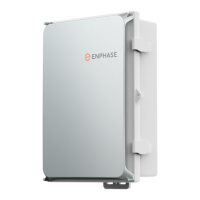
The Enphase IQ Combiner 3™ combines up to four AC branch circuits of Enphase IQ Series Microinverters and/or Enphase IQ Batteries. To install the IQ
Combiner 3, read and follow all warnings and instructions in this guide. Safety warnings are listed on the back of this guide. If you do not fully understand any
of the concepts, terminology, or hazards outlined in these instructions, refer installation to a qualied electrician or installer. These instructions are not meant
to be a complete explanation of a renewable energy system. All installations must comply with national and local electrical codes. Professional installation is
recommended.
The IQ Combiner 3 is an outdoor-rated, NRTL-certied NEMA type 3R enclosure containing an Enphase
IQ Envoy™, circuit breakers, and wiring for IQ Envoy
connections. Use the IQ Combiner 3 for single-phase applications and to support the AC connections needed for an Enphase residential solar installation.
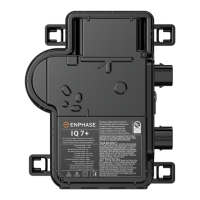
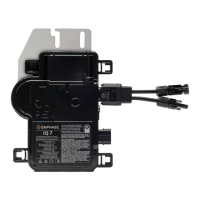
IMPORTANT: Enphase IQ Series Microinverters require the Q Cable and are not compatible with previous Enphase cabling. The IQ Envoy inside the Com-
biner is required to monitor performance of the IQ Microinverters. The Q Accessories work only with Enphase IQ Series Microinverters.
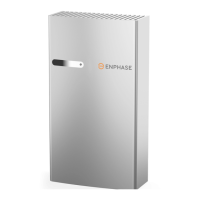
Enphase Batteries

 Need help?
 General





 To Next Page