28 Printer Installation
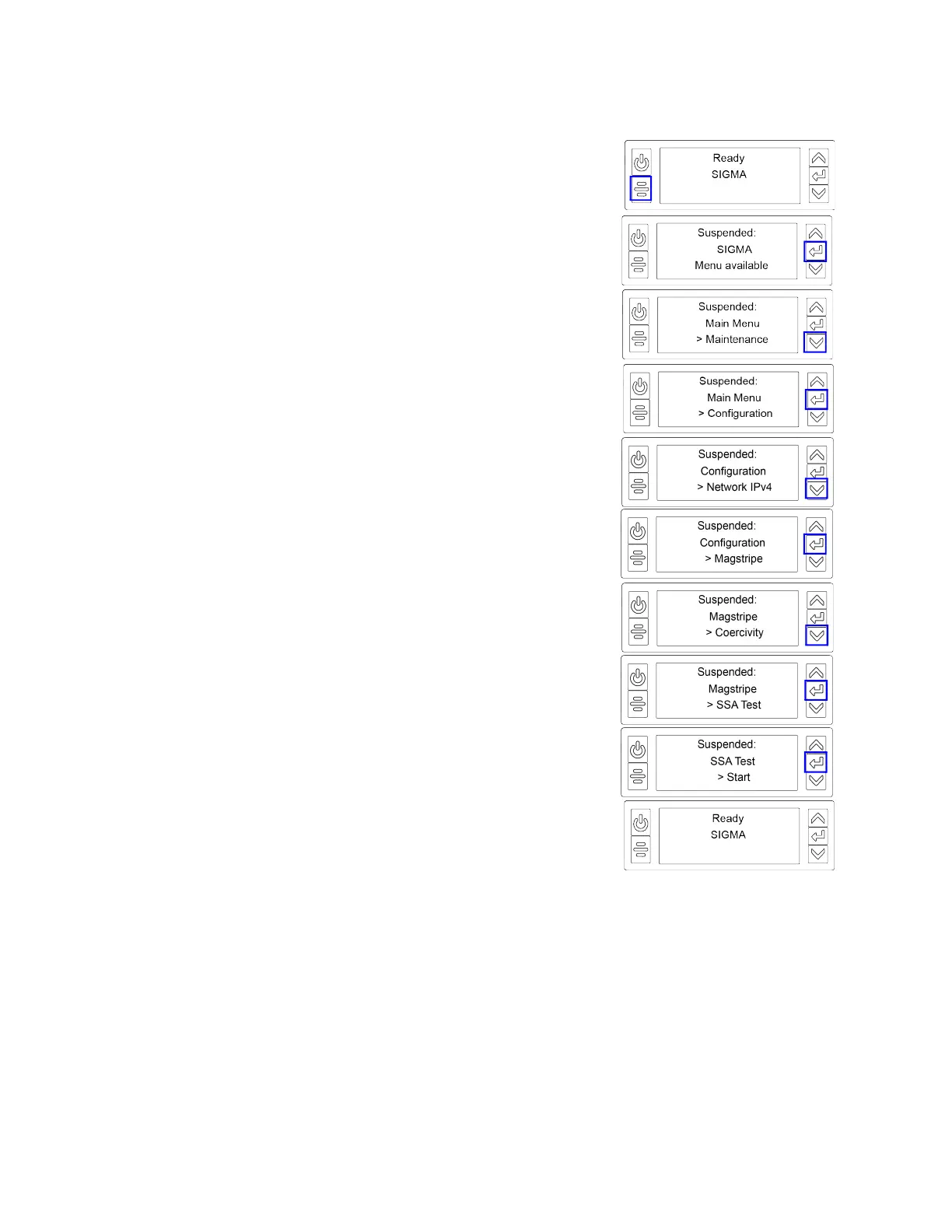
1. Begin with the printer in Ready status. Press the User
button.
2. Suspended displays on line 1 of the LCD panel. Press Enter
to enter the menu system.
3. Maintenance displays on line 3. Press the down arrow until
Configuration displays on line 3.
4. Press Enter to enter the Configuration menu.
5. Network IPv4 displays on line 3. Press the down arrow until
Magstripe displays on line 3.
6. Press Enter to enter the Magstripe menu.
7. Coercivity displays on line 3. Press the down arrow until
SSA Test displays on line 3.
8. Press Enter to enter the SSA Test menu.
9. Start displays on line 3. Press Enter to start the SSA test.
10. After the card prints, the printer returns to Ready.



 To Next Page