Local Mode
1. Components
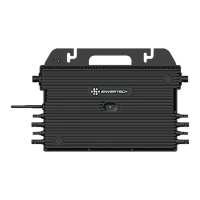
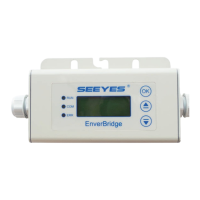
To use the local mode on EVB300, additional accessories should be prepared.
• EVB300 (Firmware version EVB-300-E-N-003-014 or higher)
• A USB flash drive with the sufficient storage space (format: FAT16/32 or
exFAT)
2. Operating steps
Insert the USB flash drive into the USB socket on EVB300.
Note: Insert the USB flash drive into the USB socket on EVB300 as shown on
the following picture. Otherwise, the USB flash drive cannot be recognized.
3. Installation
Once USB flash drive has been installed, the data will be recorded in USB flash
drive automatically.
1) Enter the local history query interface
Open EnverView APP, click [Local Mode]>>> select the EVB300
SN >>> open monitoring interface >>> enter Local History Data
Query Function.
Click [Time Calibration] button before use.
2) Data query
a) Introduction to the interface
① Time Calibration button
② Microinverter SN selection
③ Quick query button
④ Start time and End time selection
⑤ Inquire button
⑥ Parameters selection
⑦ Curve display area
b) Quick Query
There are 3 buttons, Today, Nearly three days and Nearly a
week.
Click and select the time range to get the detailed data
c) Precise Query
Click and select the time range to get the detailed data.


 To Next Page