EasyManua.ls Logo

Envertech EVT800-B - User Manual

Envertech EVT800-B
17 pages
Print Icon
To Next Page IconTo Next Page
Loading...
USM-B-2023-V01
Envertech Corporation Ltd.
Tel: +86 21 6858 0086
Web: www.envertec.com
Email: info@envertec.com
Add: No.138, Xinjunhuan road, Minhang District, Shanghai, China
EVT800-B
User Manual

Questions and Answers

Envertech EVT800-B Specifications

General IconGeneral
BrandEnvertech
ModelEVT800-B
CategoryInverter
LanguageEnglish

Summary

Important Safety Information

Safety Instructions

Instructions for safe installation and operation, including symbols.

Envertech Microinverter System

How it Works

Explains how the microinverter maximizes energy production.

Monitoring Device: EnverBridge

Monitoring and protecting PV system using EnverBridge.

Product Information

Major Characteristics

Highlights key features like efficiency, reliability, and cost-effectiveness.

Datasheet

Presents the technical specifications of the EVT800 microinverter.

Packing Checklist

Accessories

Lists the accessories included with the microinverter.

Product Description

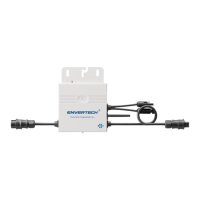
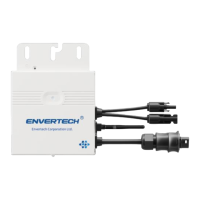
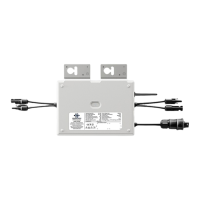
Details the physical components and their corresponding labels.

Planning of Microinverter Installation

Symbols on Inverter

Explains the various safety symbols found on the inverter.

Microinverter System Installation

Step 1. Verify voltage

Check grid and PV panel voltage compatibility with microinverter.

Step 2. Mount microinverters onto the rack

Instructions for securely mounting microinverters onto the rack.

Step 3. Ground the system

Connect microinverters and modules to the grounding conductor.

WIFI Configuration

Step 7. Connect PV modules to microinverters

Connect PV modules to the microinverter's DC input cables.

Step 8. Switch on the PV system

Turn on the main AC switch to start the PV system.

Option 1. Use Enverview app to configure WiFi

Configure WiFi settings using the Enverview mobile application.

Monitoring through EVT800

Register a new account by app or website

Create a new account for system monitoring via app or website.

MI Binding

Binding the microinverter (MI) to the monitoring system.

Debugging and Operating

Energize the System

Step-by-step guide to powering on the microinverter system.

Troubleshooting and Maintenance

LED Status Indications and Error Report

Explains LED indicators for system status and error reporting.

Troubleshoot an Inoperable Microinverter

Provides steps to diagnose and fix an inoperable microinverter.

Disconnect Microinverters from PV Modules

System Diagram

Single phase:

Illustrates the system diagram for a single-phase setup.

Three-phases

Illustrates the system diagram for a three-phase setup.

Contact

Related product manuals