EN-7100e
12
31MY02
EN-7100e
Operating Instructions
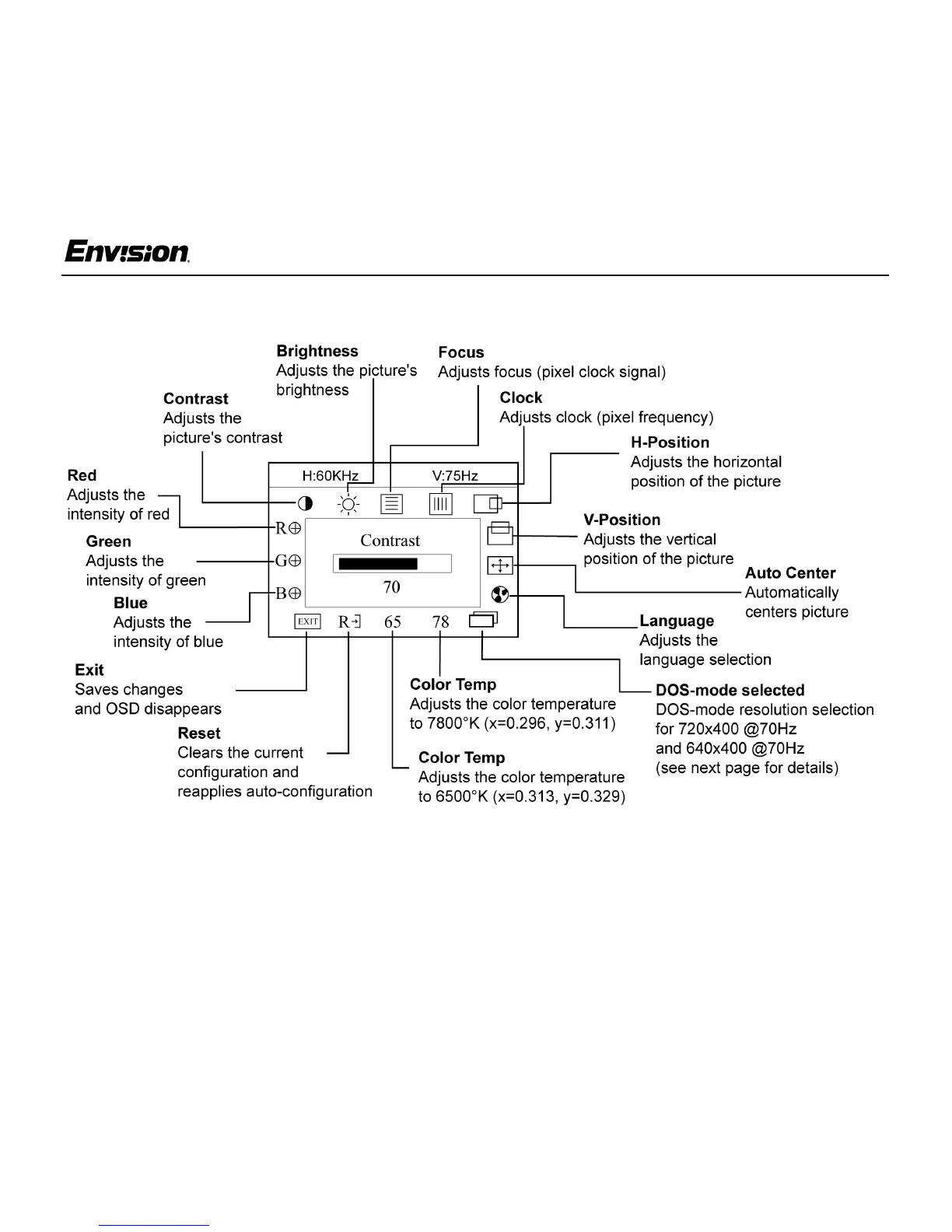
Adjusting the OSD Settings
1. Press the MENU button to open the OSD
window.
2. Press the < or > buttons until the desired
function is highlighted.
3. Press MENU to open the function’s window.
4. Press the < or > buttons to change the settings
of the function.
5. To save and exit, highlight the EXIT icon and
press MENU or leave the monitor alone for 10
seconds. If you want to adjust any other
function, repeat steps 2-4.
Note: When the OSD window is open, the input
signal timing settings appear at the top.
H: stands for horizontal frequency and
V: stands for vertical frequency.


 To Next Page
 Loading...