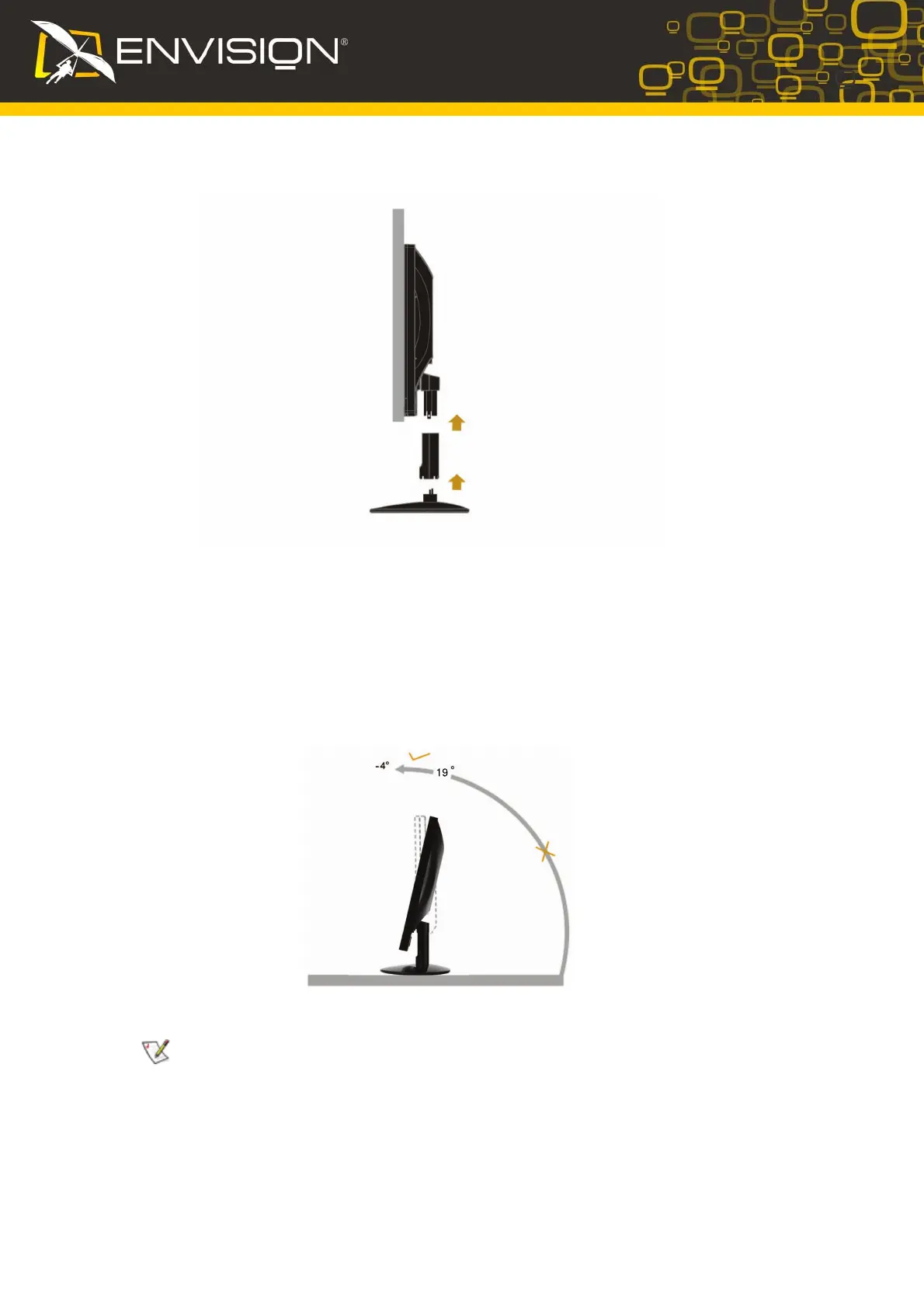
Setup the stand and base
Please setup or remove the base following below steps.
Adjusting Viewing Angle
• For optimal viewing it is recommended to look at the full face of the monitor, then adjust the
monitor's angle to your own preference.
• Hold the stand so you do not topple the monitor when you change the monitor's angle.
• You are able to adjust the monitor's angle from -4°to 19 °.
NOTE:
Do not touch the LCD screen when you change the angle. It may cause damage or break the LCD
screen.
5
19


 To Next Page
 Loading...