REMOTE CONTROL OPERATION
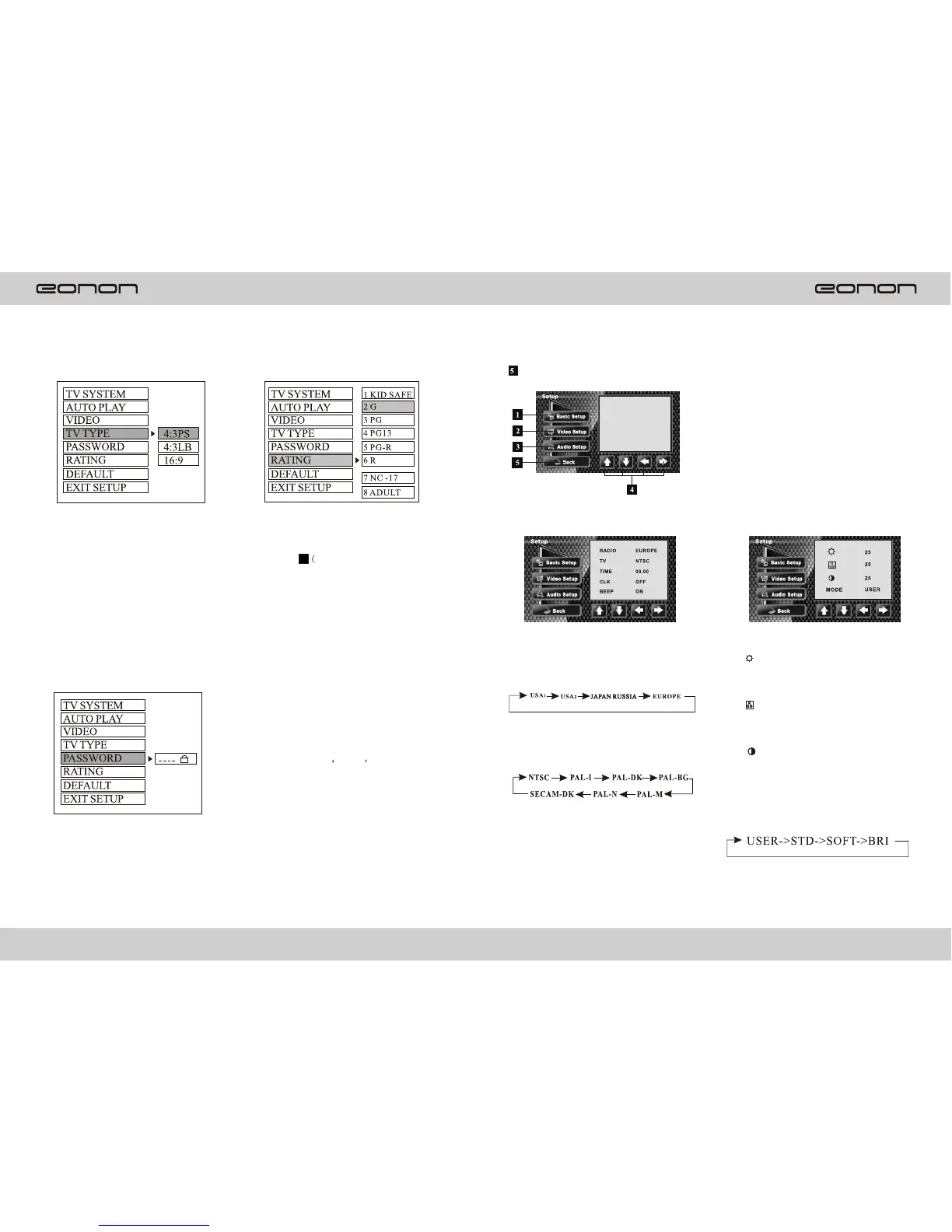
a. TV Typ e
1. 4:3 PS
Played bask in the PAN& SCAN
style.(If connected to wide-screen
TV, the left and right edgesare cut
off)
2. 4:3 LB
Played back in LETTERBOX style.
(If connected to wide-screen TV ,
black bands appear at top and
bottom of the screen)
3.16:9
Select when a wide-screen TV set
Is connected.
e. Password
Enter the password and press ENTER
button. Type the old password (The
initial factory code is 0000) and key
in 4 characters password now you
want to use, and type again to confirm.
Rating 1:[KID SAFE]
Select this when the program are safe
for all kids to view.
Rating 2:[G]
Select this that allows admission to all
Ages.
Rating 3:[PG]
Select this that needs parental guiding.
Rating 4:[PG13]
Select this when children under 13 are
forbidden to view.
Rating 5 :[PG-R]
Select this when PG-R was printed
On the DVD disc.
Rating 6:[R]
Select this when children under 17 must
be guided by their parents.
Rating 7:[nc-17]
Select this when children under 17 are
forbidden to view.
Rating 8:[ADULT]
Select this only allows admission to all
Adults.
Setup
Setup
1. Basic setup
(1) RADIO
Select radio frequency according to
The following sequence:
(2) TV system switch:
Press it to switch the tv video system:
Note :the player will memorize
the Tv system setting when the
player is off.
(3)TIME
Time adjustment
(4)CLK
Clock display on/off, the current
Time display on LCD when CLK ON.
(5)BEEP
Keypad tones setting on/off.
2.Video setup
(1)
Brightness adjustment
(2)
Color Adjustment
(3)
Contrast adjustment
(4)Video mode
Press it to switch video mode
According to the following sequence:
Select suitable guidance rating by
the cursor button and confirmed by
Pressing ENTER key)6
920
f. Rating



 To Next Page