REMOTE CONTROL OPERATION
SPDIF/PCM:
When the player is connected with the
2 channels, digital stereo amplifier,
please select this item when the
playing disc is recorded in Dolby
digital or MPEG. The analog or optical
output will be modulated to 2 channels
output by PCM.
Note: This function is in invalid for this
model.
This is to select Treble or Bass
according to your needs.
b. Key
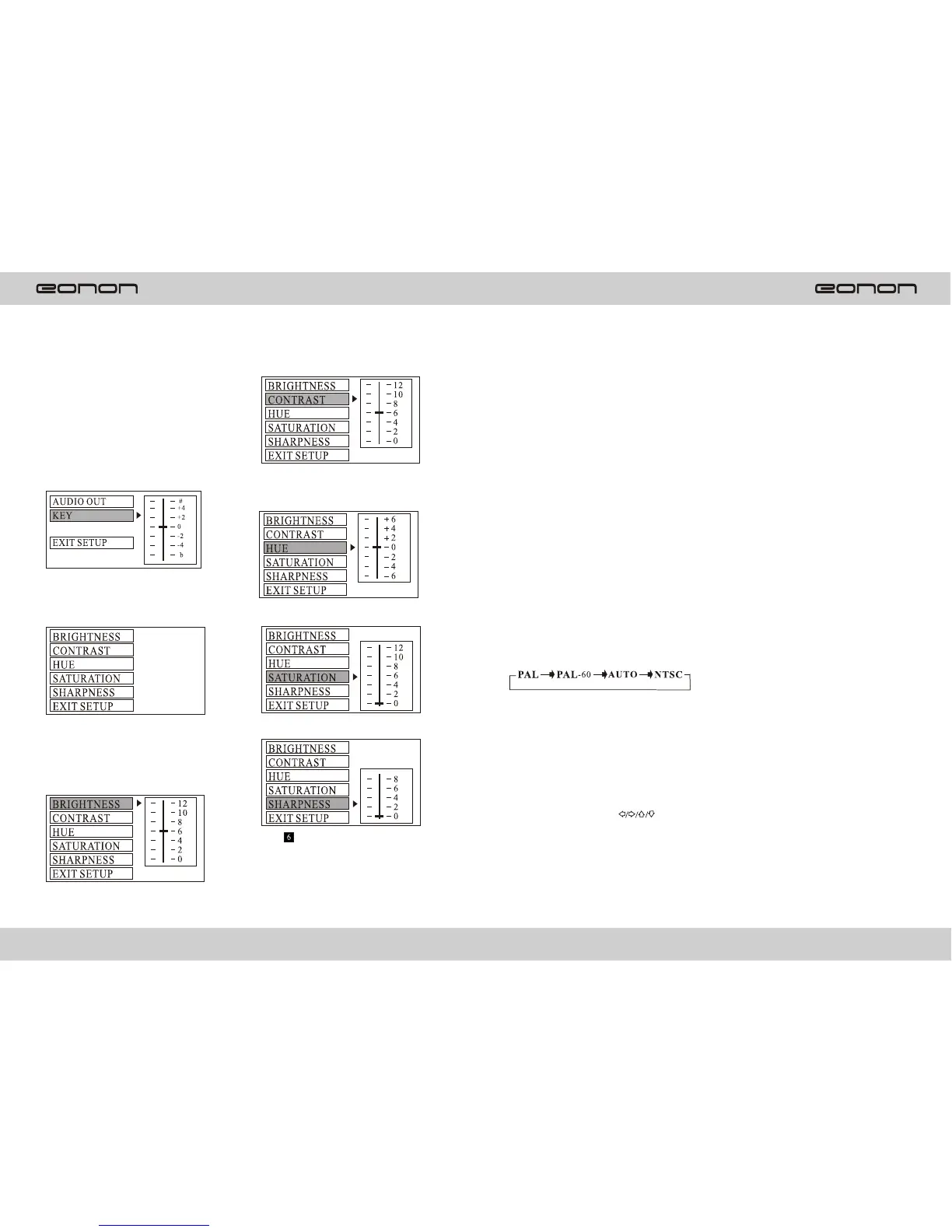
D. VIDEO SETUP
This is for the user to set
Brightness,
Contrast, Hue and Saturation of the
picture by pressing the arrow left/
right button.
a. Brightness
b. Contrast
c. Hue
d. Satura tion
e. Sharpness
NOTE: Only on TV/AV mode ,the
Video setup is available.
10.RPT key
Repeat function. Press it to repeat the
current track/chapter; Press it
Again to repeat the title; Press it
The third time to repeat all; Press it
The fourth time to cancel the repeat
function.
11. RDM key
Press it to play the disc in random,
Press is again to resume normal
Playback.
12. OSD
OSD information display.
13. L/R key
Press it to get switch R+R/L+L
/STEREO.
14. N/P key
Press it to switch video system:
15. MENU
Press it to switch to menu, and dvd
Will enter title menu and display all
Titles for dvd disc and you can
Choose your desired you can
Track by pressing direction button.
16. Direction keys
Press direction keys( )
To select your desired title or track.
17. OK
Press it to confirm.
7
22
Press (ENTER key) to confirm the
change.
Media player



 To Next Page