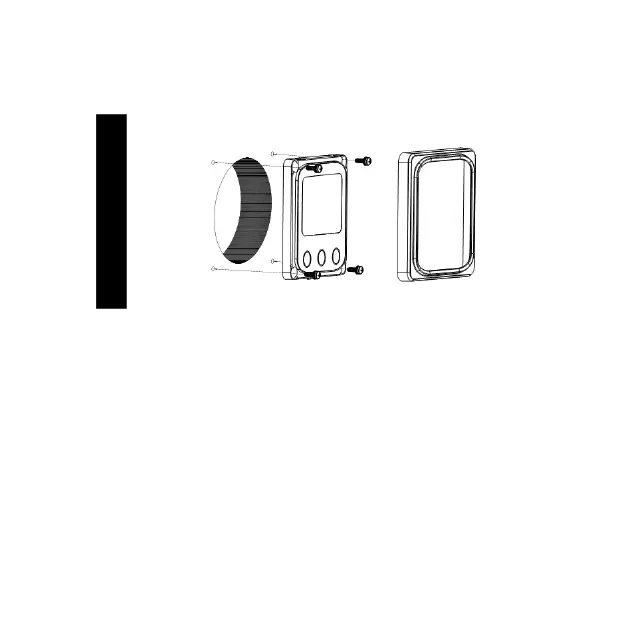
4.3 Surface mounting steps
Step1: Locate and drill screw holes based on the installation size of the
surface.
Step2: Remove the decorative shell
Step3:Use four M4×8 cross recessed pan head screws with M4 nuts to
mount MT11 surface onto the panel.
Step4:Install the decorative shell
NOTE:Take full consideration of the plugging/unplugging space of
the communication cable and the length of the cable during
installation to see if they are appropriate.


 To Next Page
 Loading...