Pearl Mini User Guide Start and stop a recorder
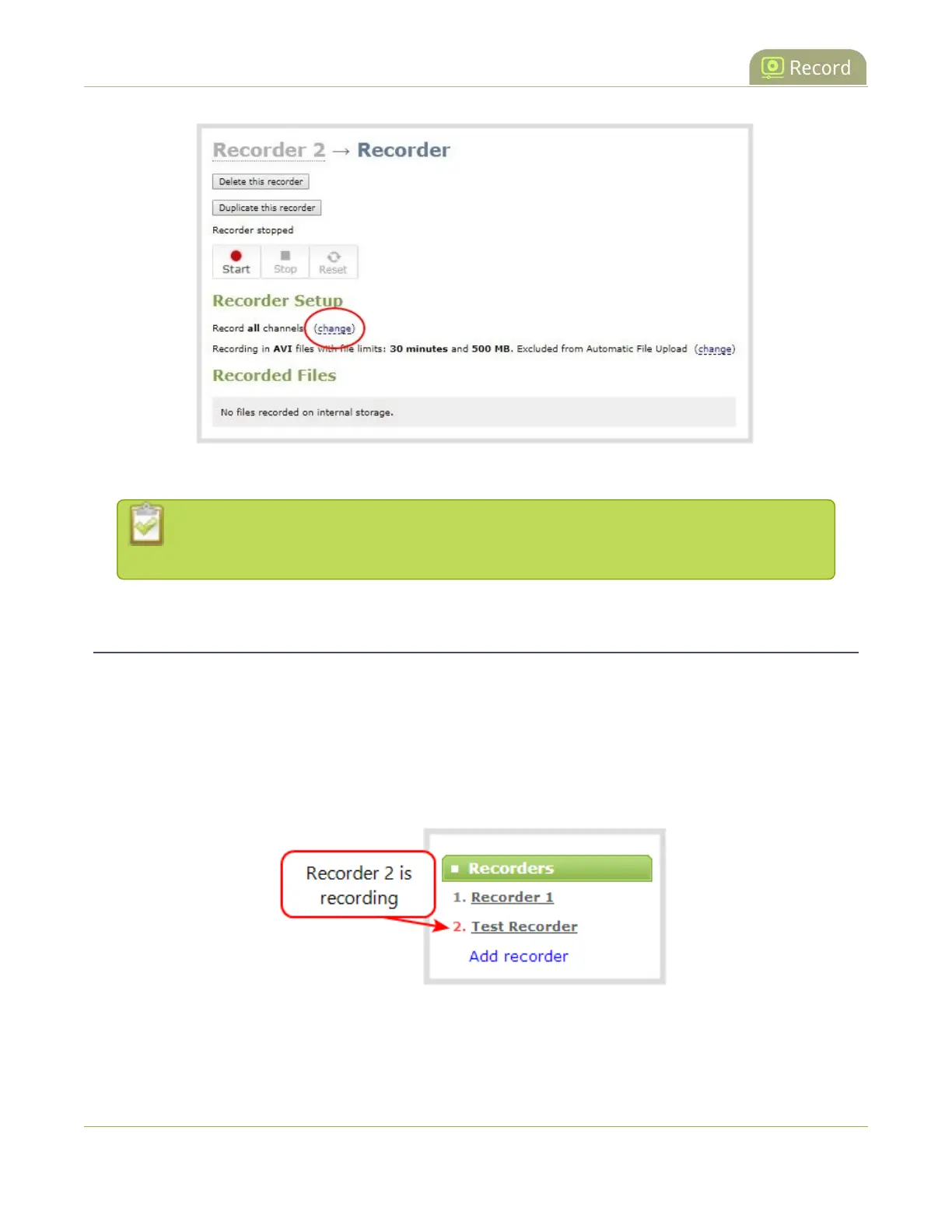
4. Check the boxes next to the channels you want to include, and click Apply.
Channels with no active video source are displayed in italics. You can include these channels
in your channel selections for the recorder.
Start and stop a recorder
You can start and stop recorders from the recorder's configuration page using the Admin panel.
You can also start and stop recorders using the One Touch control feature (see Record using One Touch
control) and using Epiphan Live (see Record a channel using the touch screen).
The recorder number turns red to indicate it is recording. If the system runs out of storage space, the oldest
recorded file is deleted to make room for the new recording.
319


 To Next Page