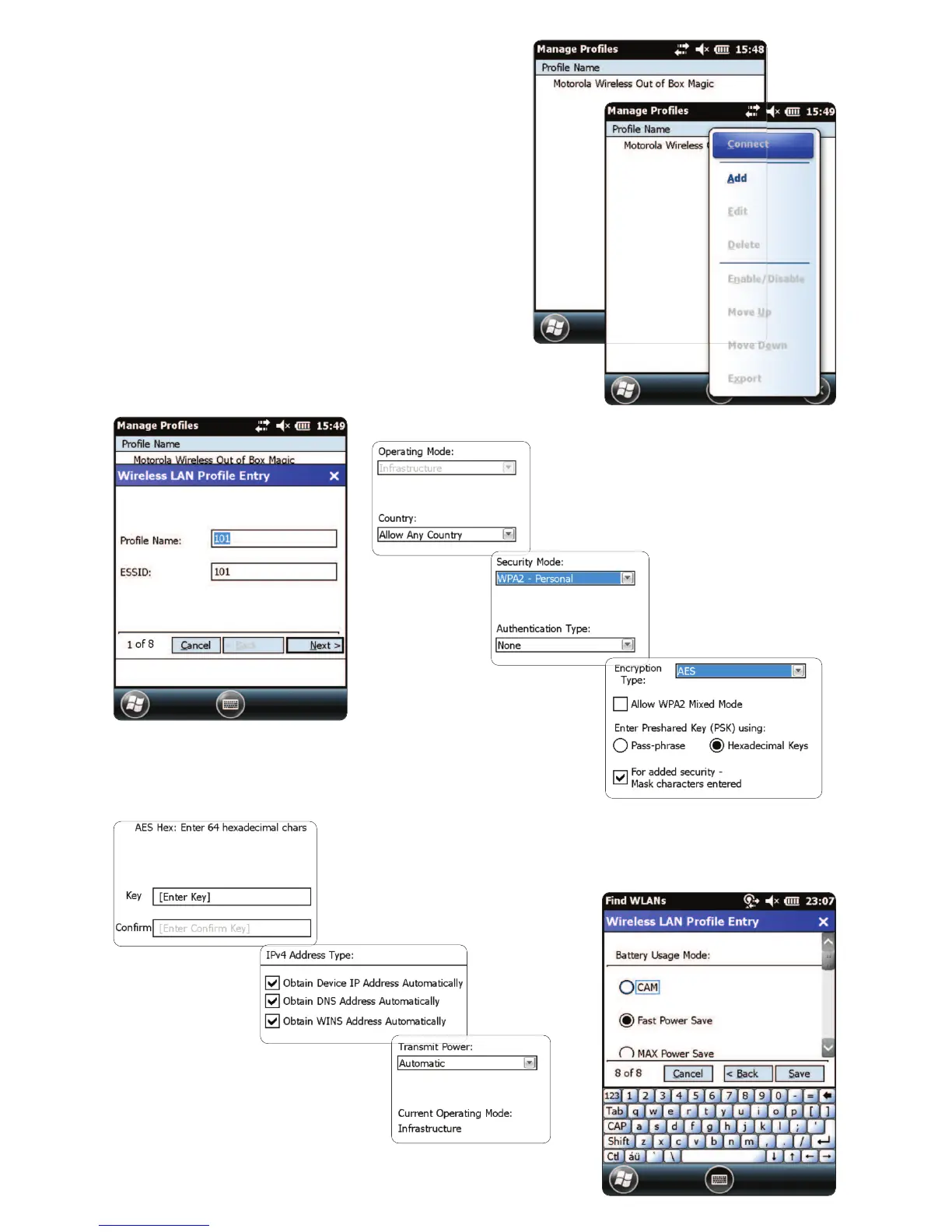
Congure the Wi-Fi Network Prole
• Tap and hold the screen to bring up the
menu; then tap on “Add”.
• Enter correct Prole Name and Network
Name (ESSID), and then tap “Next”.
• Continue entering the correct network
security settings on the screens that follow
(Screenshots 2-8) by tapping “Next”, then
“Save”.
NOTE:
Screenshots are examples only.
2 of 8
3 of 8
4 of 8
6 of 8
7 of 8
5 of 8
4


 To Next Page