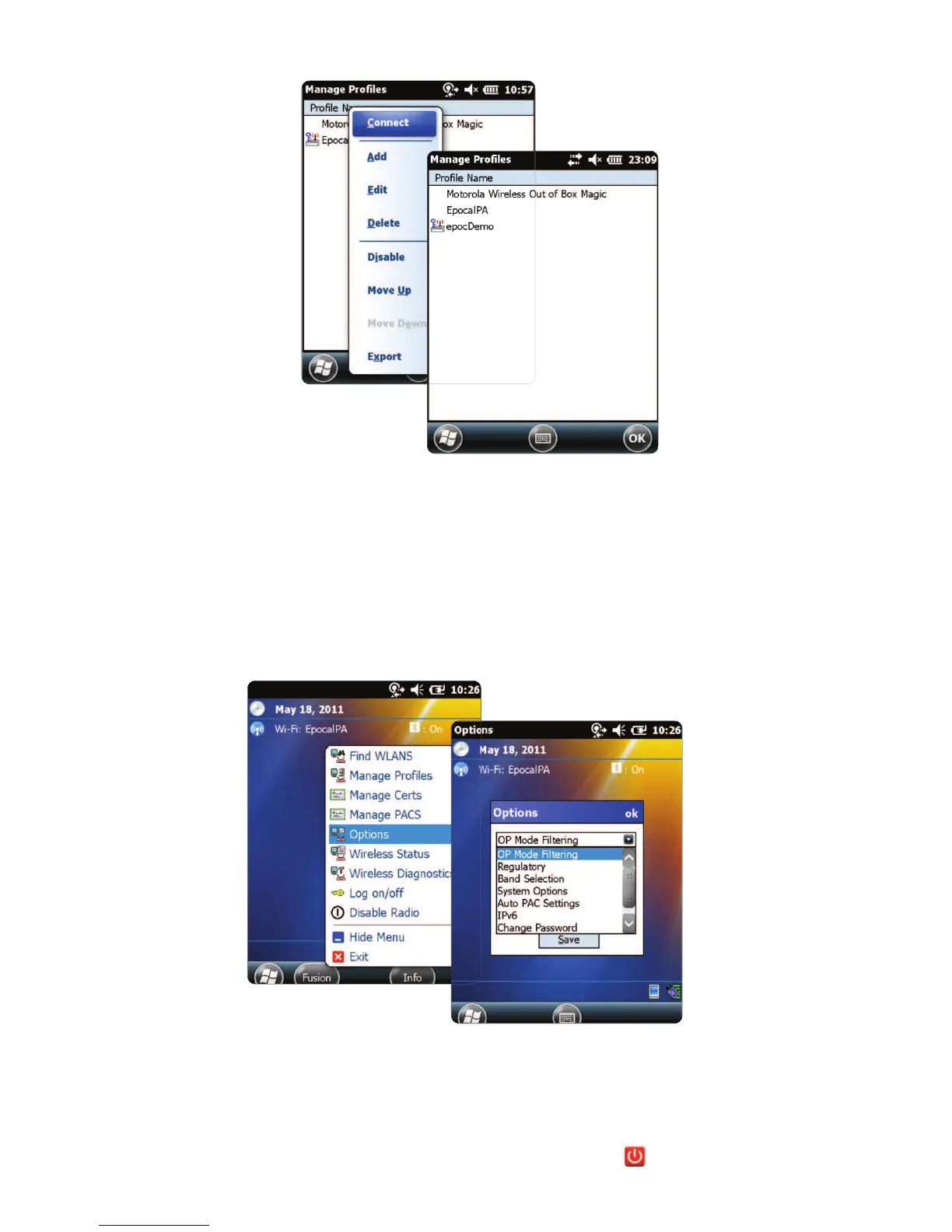
• When nished, tap and hold on the network name, then tap “Connect”.
• Tap “OK” on bottom of the screen to return to the “Today” screen..
• If required, tap on the “Fusion” icon and select “Options” to congure the
appropriate wireless network options.
NOTE:
On some networks, it may be required to disable 802.11d in “Regulatory” options.
2. Reset the
epoc Host
2
.
• Perform a warm reset by holding down the power button for 5 seconds.
5


 To Next Page