Epomaker GK68 Extended Manual 10/07/20
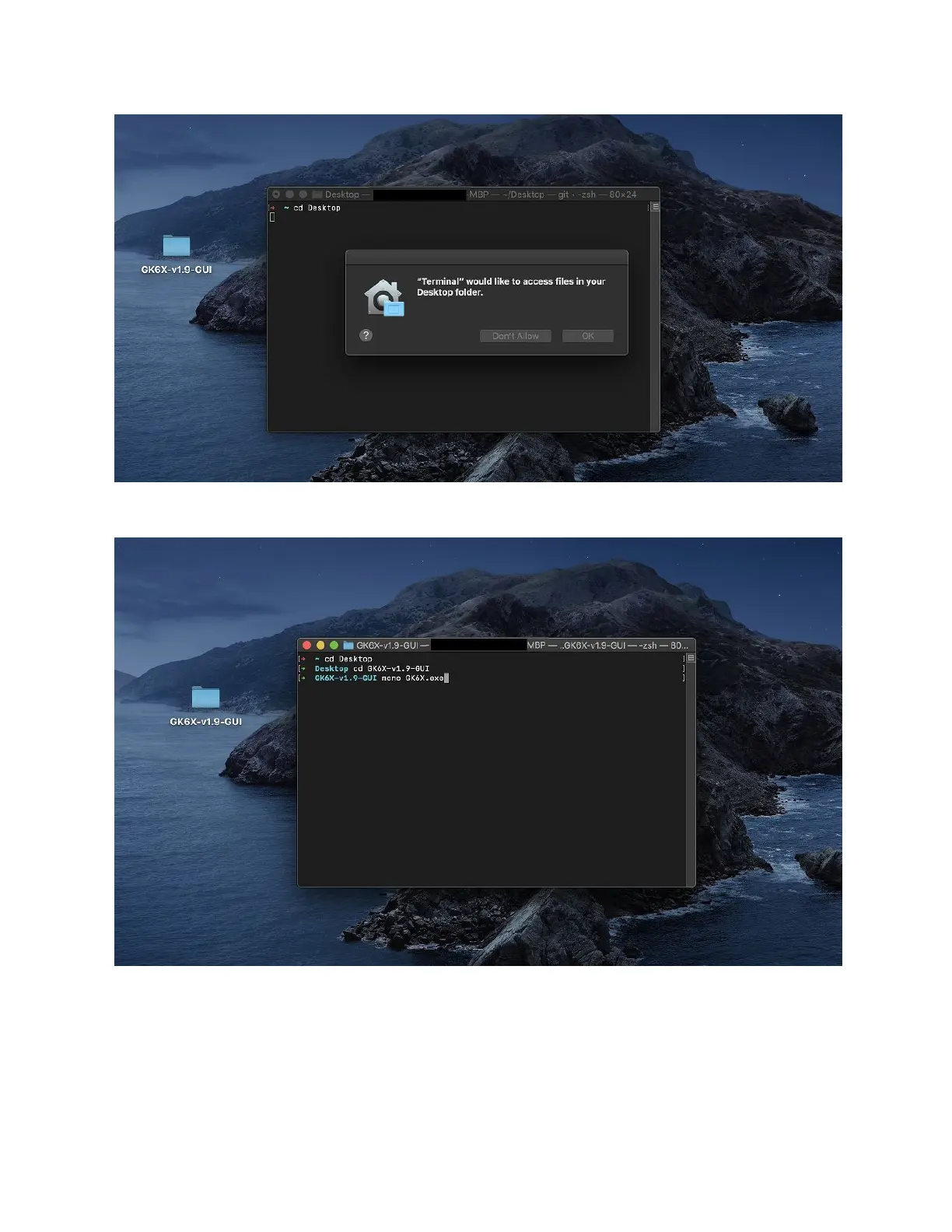
7. You want to make the current directory you put your driver folder you placed it in, in this
case, we placed the GK68X folder on the desktop, so we type the command cd Desktop
8. When you are in the folder that has the folder for the driver inside, you want to then cd
into that folder, you can do this by typing cd GKX-XX.exe (You can use “tab” to
auto-complete).
9. When you are inside your driver folder, type mono GK6X.exe. You should then be
shown that your keyboard is connected. (Make sure you’re using the cable that came
with the keyboard and that it is plugged in).
Version 1.2 22



 To Next Page