Epomaker GK68 Extended Manual 10/07/20
Want more effects for your Epomaker keyboard? You can make one yourself, or join our
Discord that has many created by the awesome community: https://discord.gg/YE8PbqF and
head to #software-configurations. Feel free to submit your own, too!
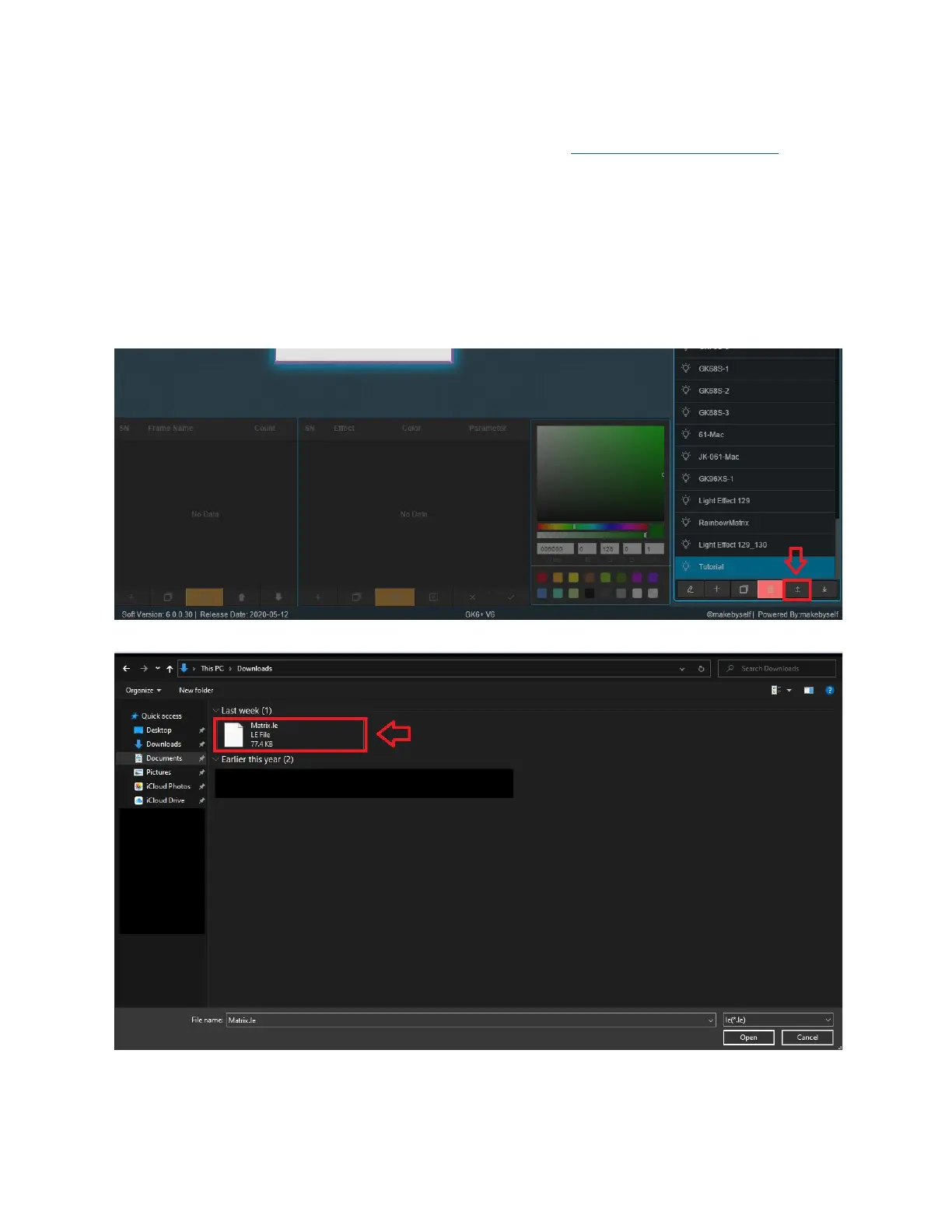
Uploading Lighting “LE” Files
Uploading and downloading the files allows you to try other peoples configurations and also
send it to other people.
1. Download the LE file you’re going to use. In this case we used Matrix.le created by
community member Saiyagene. (Head to the Discord to get more lighting effects).
2. Select the upload button from the LE File Management module.
3. Find the location where you saved your file, and select the file and press open. You should
then see the file in the LE File Management Module.
Version 1.2 33



 To Next Page