Epomaker GK68 Extended Manual 10/07/20
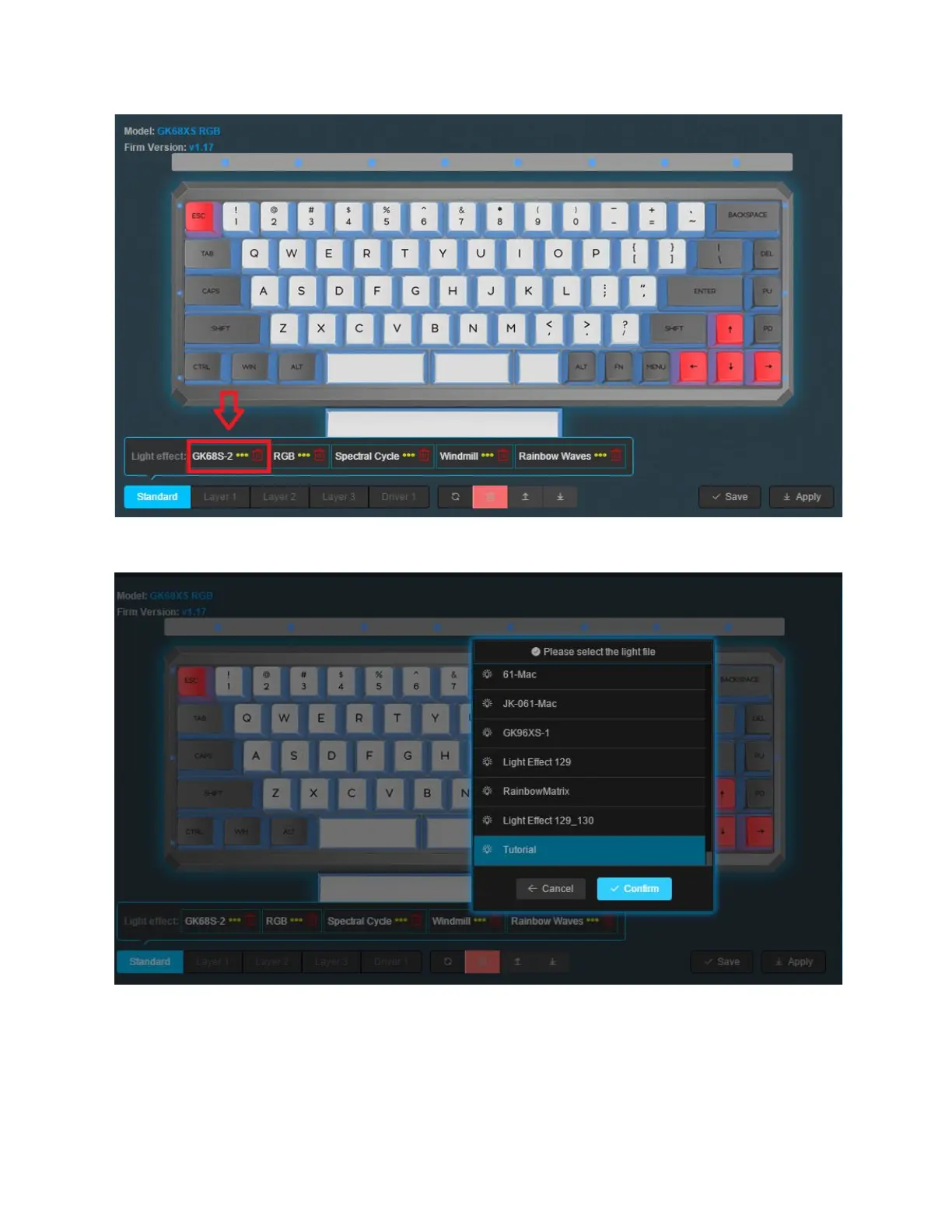
2. Press on any of the Lighting effects you would like to change and select the
lighting profile you would like to add.
3. Click confirm to put that specific lighting configuration onto the on-board memory.
4. Click save, and then apply. Make sure you do this or it will not be on-board. The
board backlight should turn for a second, and turn back on.
5. Click the FN + ] until you find the desired effect you selected.
Version 1.2 32



 To Next Page