Epomaker GK68 Extended Manual 10/07/20
4. Enter the name that you want to call the lighting profile that you want to create.
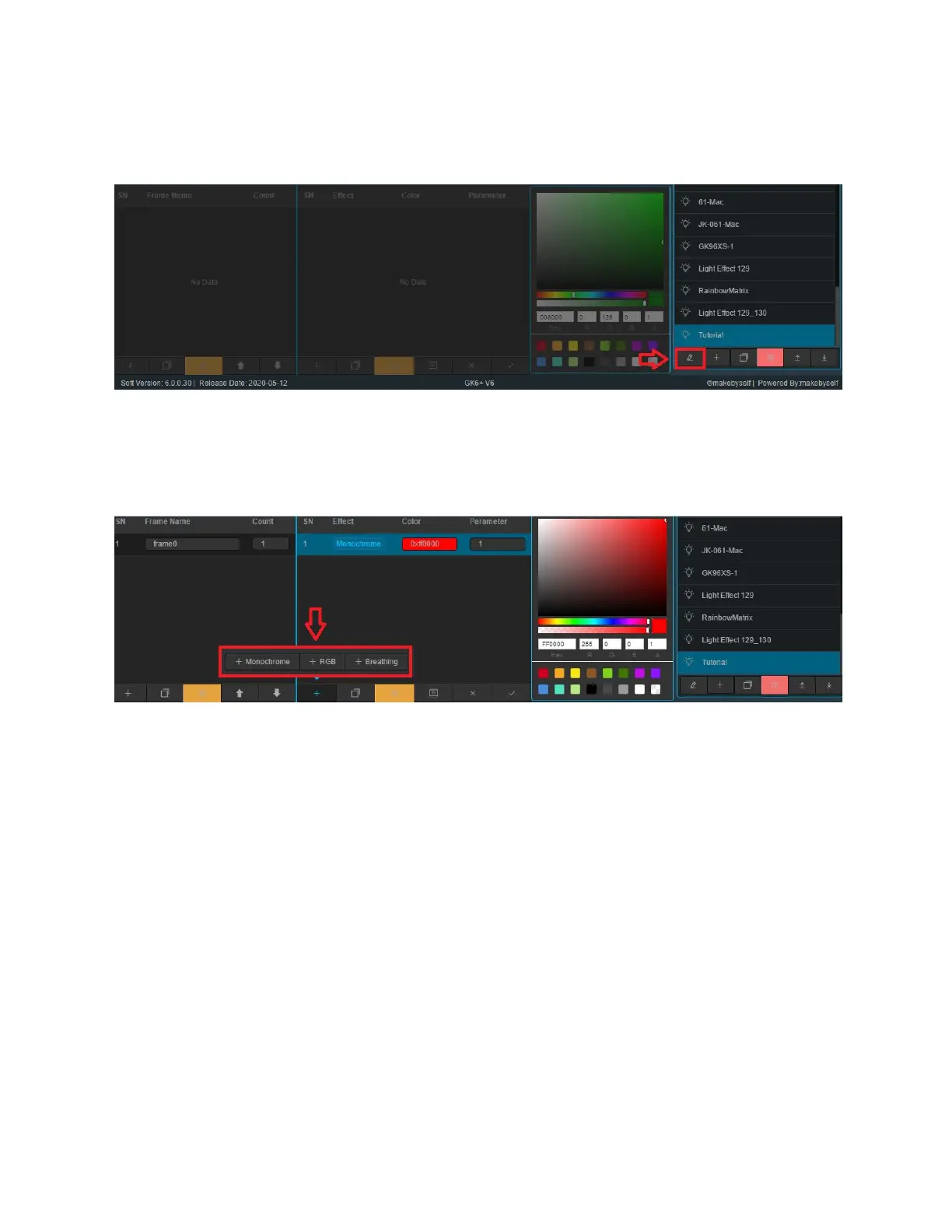
5. Click the Edit icon on the given lighting effect name you just made to start editing the
RBG and effect.
You should be welcomed by the editor. Here you can add a lighting option by clicking the “+”
Button, or delete using the trash can.
Clicking the “+” Button in the Effects section will result in the following options:
- Monochrome, which is a static colour.
- RGB, which is for a colour shift
- Breathing, for the lights to turn on and off.
Version 1.2 27



 To Next Page