EasyManua.ls Logo

EPOS IMPACT BTD 800 - User Manual

Default Icon
58 pages
Print Icon
To Next Page IconTo Next Page
Loading...
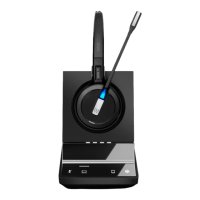
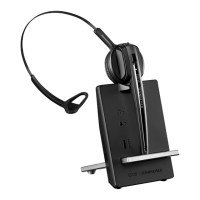
SDW 10 HS
SDW 30 HS
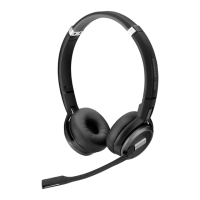
SDW 60 HS
SDW 3 BS
SDW 5 BS
BTD 800
User Guide
IMPACT SDW 5000 Series
DECT Wireless Headset System

Table of Contents

Question and Answer IconNeed help?

Do you have a question about the EPOS IMPACT BTD 800 and is the answer not in the manual?

Summary

IMPACT SDW 5000 Series User Guide

Product Overview

Charging and Storing the Headset System

Cleaning and Maintaining the Headset System

Troubleshooting Common Problems

Connecting the Base Station

Pairing and Charging the Headset

Initial setup for pairing and charging the headset before first use.

Connecting to a Fixed Line Phone (SDW 5 BS)

Instructions for connecting the base station to desk phones, with or without headset socket.

Connecting to a Computer

Guide for connecting the base station to a PC for software and calls.

Connecting to Bluetooth Devices (BTD 800)

Steps to connect mobile phones or headsets via Bluetooth using the dongle.

Assembling and Wearing the SDW 10 HS Headset

Adjusting and Wearing the SDW 30 HS | SDW 60 HS Headset

Configuring the Headset System

EPOS Connect and DIP Switch Configuration

Adjusting system settings via software or base station DIP switches.

Desk Phone Configuration (DIP Switches 1 & 2)

Setting up the base station for desk phone compatibility using DIP switches.

Desk Phone Audio Signal Adjustment (ABC Switch)

Fine-tuning audio for desk phones using the ABC switch on the base station.

Setting Up and Using the Headset

Making Calls Using the Headset System

Making a Call

Step-by-step guide to initiating a call via different sources.

Accepting or Rejecting a Call

How to answer or decline incoming calls using headset or base station.

Transferring Calls to Connected Devices

Moving calls between connected devices or to a mobile phone.

Ending a Call

Procedures for terminating active calls using headset or base station.

Managing Multiple Calls (Two Calls)

Handling two calls simultaneously from different audio sources.

Mini Conference Setup

Merging held calls into an active call or toggling between them.

Setting Up Conference Calls

Small Conference Setup (USB;Bluetooth)

Creating a small conference with an additional headset.

Large Conference Setup (Up to 4 SDW Headsets)

Establishing a conference call with multiple SDW headsets.

Adding Guest Headsets During a Call

Including additional participants during an ongoing conference.

Conference Call with USB Speakerphone

Using an EPOS USB speakerphone as a conference participant.

Charging and Storing the Headset System

Switching Between DECT Dongle and Base Station

Replacing the Rechargeable Battery

Updating Product Firmware

Troubleshooting Common Problems

Restoring Factory Default Settings

Guide to reset the base station to its original factory configuration using the S1 button.

Summary

IMPACT SDW 5000 Series User Guide

Product Overview

Charging and Storing the Headset System

Cleaning and Maintaining the Headset System

Troubleshooting Common Problems

Connecting the Base Station

Pairing and Charging the Headset

Initial setup for pairing and charging the headset before first use.

Connecting to a Fixed Line Phone (SDW 5 BS)

Instructions for connecting the base station to desk phones, with or without headset socket.

Connecting to a Computer

Guide for connecting the base station to a PC for software and calls.

Connecting to Bluetooth Devices (BTD 800)

Steps to connect mobile phones or headsets via Bluetooth using the dongle.

Assembling and Wearing the SDW 10 HS Headset

Adjusting and Wearing the SDW 30 HS | SDW 60 HS Headset

Configuring the Headset System

EPOS Connect and DIP Switch Configuration

Adjusting system settings via software or base station DIP switches.

Desk Phone Configuration (DIP Switches 1 & 2)

Setting up the base station for desk phone compatibility using DIP switches.

Desk Phone Audio Signal Adjustment (ABC Switch)

Fine-tuning audio for desk phones using the ABC switch on the base station.

Setting Up and Using the Headset

Making Calls Using the Headset System

Making a Call

Step-by-step guide to initiating a call via different sources.

Accepting or Rejecting a Call

How to answer or decline incoming calls using headset or base station.

Transferring Calls to Connected Devices

Moving calls between connected devices or to a mobile phone.

Ending a Call

Procedures for terminating active calls using headset or base station.

Managing Multiple Calls (Two Calls)

Handling two calls simultaneously from different audio sources.

Mini Conference Setup

Merging held calls into an active call or toggling between them.

Setting Up Conference Calls

Small Conference Setup (USB;Bluetooth)

Creating a small conference with an additional headset.

Large Conference Setup (Up to 4 SDW Headsets)

Establishing a conference call with multiple SDW headsets.

Adding Guest Headsets During a Call

Including additional participants during an ongoing conference.

Conference Call with USB Speakerphone

Using an EPOS USB speakerphone as a conference participant.

Charging and Storing the Headset System

Switching Between DECT Dongle and Base Station

Replacing the Rechargeable Battery

Updating Product Firmware

Troubleshooting Common Problems

Restoring Factory Default Settings

Guide to reset the base station to its original factory configuration using the S1 button.

EPOS IMPACT BTD 800 Specifications

General IconGeneral
Water ResistanceNo
Warranty2 years
CompatibilityPC, Mac, Smartphones, Tablets
Audio CodecSBC, aptX
Charging TimeApprox. 2 hours
Bluetooth Version5.0
Wireless Range25 m

Related product manuals