EasyManua.ls Logo

EPOS SENNHEISER SD Series - User Manual

EPOS SENNHEISER SD Series
2 pages
Print Icon
To Next Page IconTo Next Page
Loading...
www.eposaudio.com/support
PDF
Sennheiser Communications A/S
Industriparken 27, DK-2750 Ballerup, Denmark
www.eposaudio.com
Printed in China, Publ. 11/19, 770-00074/A08
Quick Guide
Guide express
EN
FR
Guía rápida
Guia Rápido
ES
PT
SD Series
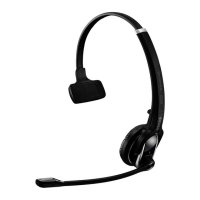
SD Oce headset
S
L
M
SD BS Phone
SD BS
SD BS ML
SD BS USB
SD BS USB ML
100%
75%
25% 50%
100%
50%
1 h
20 min
Check the
direction
5 s
5 s
Volume
call volume
ring & tone volume
Connecting the headset and the base station
MUTE Mic
disconnectedconnected
Left
Right
2-3 cm
2 3
M / L
S
45
Left
wearing
Right
wearing
1
Re-mount earhook interface
of the HSA 20:
Package contents | Contenu | Volumen de suministro | Material fornecido
Swapping the direction of the volume buttons |
Permuter la fonction des touches Volume+ et Volume– |
Cambiar la asignación de las teclas de volumen |
Trocar a ocupação das teclas de volume
Charging the headset | Charger l’oreillette | Cargar el headset | Carregar os micro-auscultadores
Wearing the headset with the earhook | Porter l’oreillette avec le crochet d’oreille |
Utilizar el headset con gancho de auricular | Utilizar o micro-auscultador com haste auricular
Using the headset | Utiliser l'oreillette | Utilizar el headset | Utilizar o auricular Making calls via the headset | Téléphoner avec l'oreillette | Telefonear mediante el headset |
Fazer uma chamada telefónica através do micro-auscultador
Wearing the headset with the headband | Porter l’oreillette avec l’arceau |
Colocarse el headset con gancho de auricular | Colocar o micro-auscultador com aro de cabeça
Overview of the base station |
Vue d'ensemble de la station de base |
Vista general de la estación base |
Vista geral da base
Question and Answer IconNeed help?

Do you have a question about the EPOS SENNHEISER SD Series and is the answer not in the manual?

Summary

SD Series Headset Setup and Operation

Package Contents

List of items included in the SD Series headset package.

Charging the Headset

Instructions on how to charge the headset using the provided charging solution.

Connecting and Pairing

Steps to connect the headset to the base station for initial use.

Volume and Mute Controls

How to adjust call volume and mute the microphone during a call.

Making Calls

Procedures for initiating and handling telephone calls with the headset.

Wearing Styles and Base Station Configuration

Wearing the Headset

Guide on wearing the headset with either an earhook or a headband.

Base Station Models

Overview of different SD Series base station models available.

Volume Button Configuration

Instructions to swap the functionality of the volume up and down buttons.

System Adjustment and Advanced Features

DIP Switch Settings

Explanation of how to adjust system settings using DIP switches.

Manual and Automatic Link Establishment

Procedures for establishing wireless links between headset and base station.

Audio Transmission Modes

Details on wideband and narrowband audio transmission and battery life.

Volume Limiter Settings

Information on country-specific volume limitation settings.

Conference Call Setup

Instructions for connecting multiple headsets for conference calls.

DECT Range and Link Establishment

Information on DECT range and automatic link establishment methods.

Replacing Ear Pads

Guide on how to replace the ear pads on the headset.

Simultaneous Headset Charging

Instructions for charging multiple headsets at the same time.

Detailed Information and Accessories

Resources for setup, compatibility, and full instruction manuals.

Summary

SD Series Headset Setup and Operation

Package Contents

List of items included in the SD Series headset package.

Charging the Headset

Instructions on how to charge the headset using the provided charging solution.

Connecting and Pairing

Steps to connect the headset to the base station for initial use.

Volume and Mute Controls

How to adjust call volume and mute the microphone during a call.

Making Calls

Procedures for initiating and handling telephone calls with the headset.

Wearing Styles and Base Station Configuration

Wearing the Headset

Guide on wearing the headset with either an earhook or a headband.

Base Station Models

Overview of different SD Series base station models available.

Volume Button Configuration

Instructions to swap the functionality of the volume up and down buttons.

System Adjustment and Advanced Features

DIP Switch Settings

Explanation of how to adjust system settings using DIP switches.

Manual and Automatic Link Establishment

Procedures for establishing wireless links between headset and base station.

Audio Transmission Modes

Details on wideband and narrowband audio transmission and battery life.

Volume Limiter Settings

Information on country-specific volume limitation settings.

Conference Call Setup

Instructions for connecting multiple headsets for conference calls.

DECT Range and Link Establishment

Information on DECT range and automatic link establishment methods.

Replacing Ear Pads

Guide on how to replace the ear pads on the headset.

Simultaneous Headset Charging

Instructions for charging multiple headsets at the same time.

Detailed Information and Accessories

Resources for setup, compatibility, and full instruction manuals.
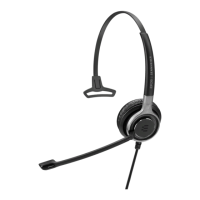
EPOS SENNHEISER SD Series Specifications

General IconGeneral
BrandEPOS
ModelSENNHEISER SD Series
CategoryHeadsets
LanguageEnglish

Related product manuals