EasyManua.ls Logo

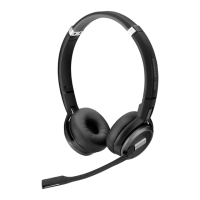
EPOS Sennheiser SCBT22 - User Manual

Default Icon
28 pages
Print Icon
To Next Page IconTo Next Page
Loading...
User Guide
ADAPT 230 | ADAPT 260
ADAPT 231 | ADAPT 261
Bluetooth
®
headset certied for Microsoft
®
Teams
Model: Headset: SCBT22, SCBT23 | Dongle: BTD 800 USB, SCBT16

Table of Contents

Question and Answer IconNeed help?

Do you have a question about the EPOS Sennheiser SCBT22 and is the answer not in the manual?

Summary

Product overview

Overview of the headset buttons

Details the functions of the Power & Mute, Hook/Teams, and Multifunction buttons.

Getting started

Pairing the headset with Bluetooth devices

Instructions on how to pair the headset with Bluetooth devices, including via the dongle.

Connecting the headset via the dongle

Details the process of connecting the headset wirelessly to a computer using the USB dongle.

Pairing the headset via Bluetooth with a mobile device

Step-by-step guide on pairing the headset with a mobile phone or tablet via Bluetooth.

Using the headset

Turning the headset on and connecting it

Instructions on powering on the headset and establishing a Bluetooth connection.

Making calls using the headset

Accepting; rejecting; ending a call

How to manage incoming and active calls using headset buttons.

Using headset and dongle with Microsoft Teams; Cortana

Invoking Microsoft Teams and check notifications

How to use the headset with Microsoft Teams and check notifications.

Additional functions

Reconnecting; disconnecting Bluetooth

Steps to re-establish or break the Bluetooth connection between headset and dongle/device.

Maintaining the products and updating the firmware

Updating the firmware of the products

Instructions on how to update the firmware of the headset and dongle using EPOS Connect.

If a problem occurs...

Headset cannot be turned on

Troubleshooting steps for when the headset fails to power on.

No audio signal or drop outs

Solutions for issues with audio quality, signal loss, or no sound.

Headset cannot be connected via Bluetooth

Troubleshooting steps for Bluetooth connection failures.

Microsoft Teams does not work: LED blue instead of purple

Solutions for problems with Microsoft Teams integration and LED indicators.

Headset or dongle does not react to any button press

Troubleshooting for unresponsive headset or dongle buttons.

Clearing the pairing list of the headset (Reset)

Instructions to reset the headset by clearing its Bluetooth pairing list.

Summary

Product overview

Overview of the headset buttons

Details the functions of the Power & Mute, Hook/Teams, and Multifunction buttons.

Getting started

Pairing the headset with Bluetooth devices

Instructions on how to pair the headset with Bluetooth devices, including via the dongle.

Connecting the headset via the dongle

Details the process of connecting the headset wirelessly to a computer using the USB dongle.

Pairing the headset via Bluetooth with a mobile device

Step-by-step guide on pairing the headset with a mobile phone or tablet via Bluetooth.

Using the headset

Turning the headset on and connecting it

Instructions on powering on the headset and establishing a Bluetooth connection.

Making calls using the headset

Accepting; rejecting; ending a call

How to manage incoming and active calls using headset buttons.

Using headset and dongle with Microsoft Teams; Cortana

Invoking Microsoft Teams and check notifications

How to use the headset with Microsoft Teams and check notifications.

Additional functions

Reconnecting; disconnecting Bluetooth

Steps to re-establish or break the Bluetooth connection between headset and dongle/device.

Maintaining the products and updating the firmware

Updating the firmware of the products

Instructions on how to update the firmware of the headset and dongle using EPOS Connect.

If a problem occurs...

Headset cannot be turned on

Troubleshooting steps for when the headset fails to power on.

No audio signal or drop outs

Solutions for issues with audio quality, signal loss, or no sound.

Headset cannot be connected via Bluetooth

Troubleshooting steps for Bluetooth connection failures.

Microsoft Teams does not work: LED blue instead of purple

Solutions for problems with Microsoft Teams integration and LED indicators.

Headset or dongle does not react to any button press

Troubleshooting for unresponsive headset or dongle buttons.

Clearing the pairing list of the headset (Reset)

Instructions to reset the headset by clearing its Bluetooth pairing list.
EPOS Sennheiser SCBT22 Specifications

General IconGeneral
BrandEPOS
ModelSennheiser SCBT22
CategoryHeadsets
LanguageEnglish

Related product manuals