Appendix
C-3
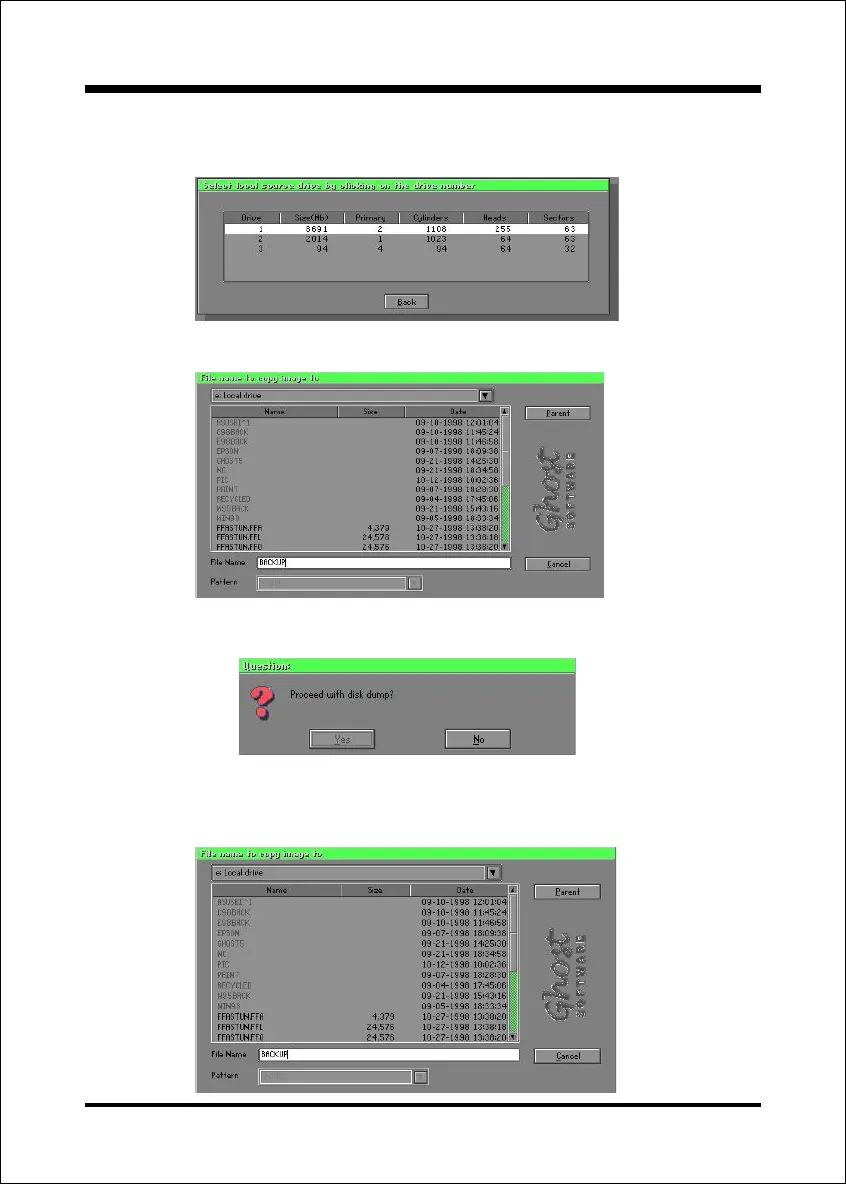
Disk To Image (Disk Backup)
1. Select the location of the Source drive.
3. Click OK to display the following confirmation screen. Select Yes to start.
2. Select the location for storing the backup file.
Disk From Image(Restore Backup)
1. Select the Restoring file.



 To Next Page