14
4.4 Setting Operation
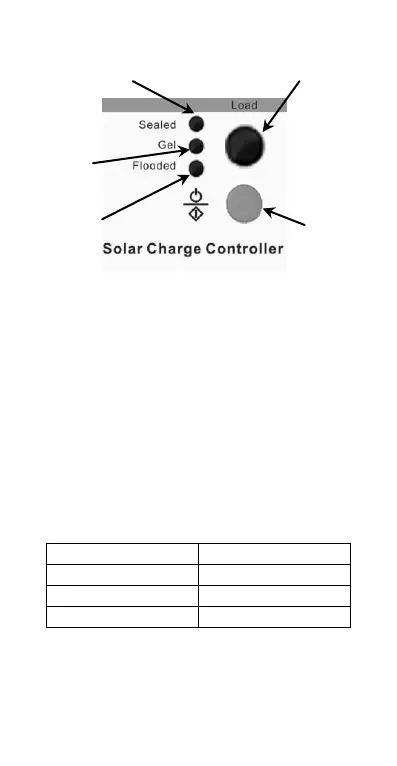
Sealed Setting indicator Load Status LED indicator
Figure 4-3 Setting operation indicating
·Load Work Mode Setting
When the controller is powered on, press the setting button to control the
load output. Press the button once, the ON/OFF status will be changed
corresponding.
·Battery Type Setting
Press the setting button for more than 5 seconds, the original battery
type indicator will be flashing. Then press the setting button to choose
Sealed, Gel, and Flooded battery type. The setting is finished till the digital
tube stop flashing.
Battery type selection Table4-5
Flooded
Setting Indicator




 To Next Page