22 Setting Up the Printer
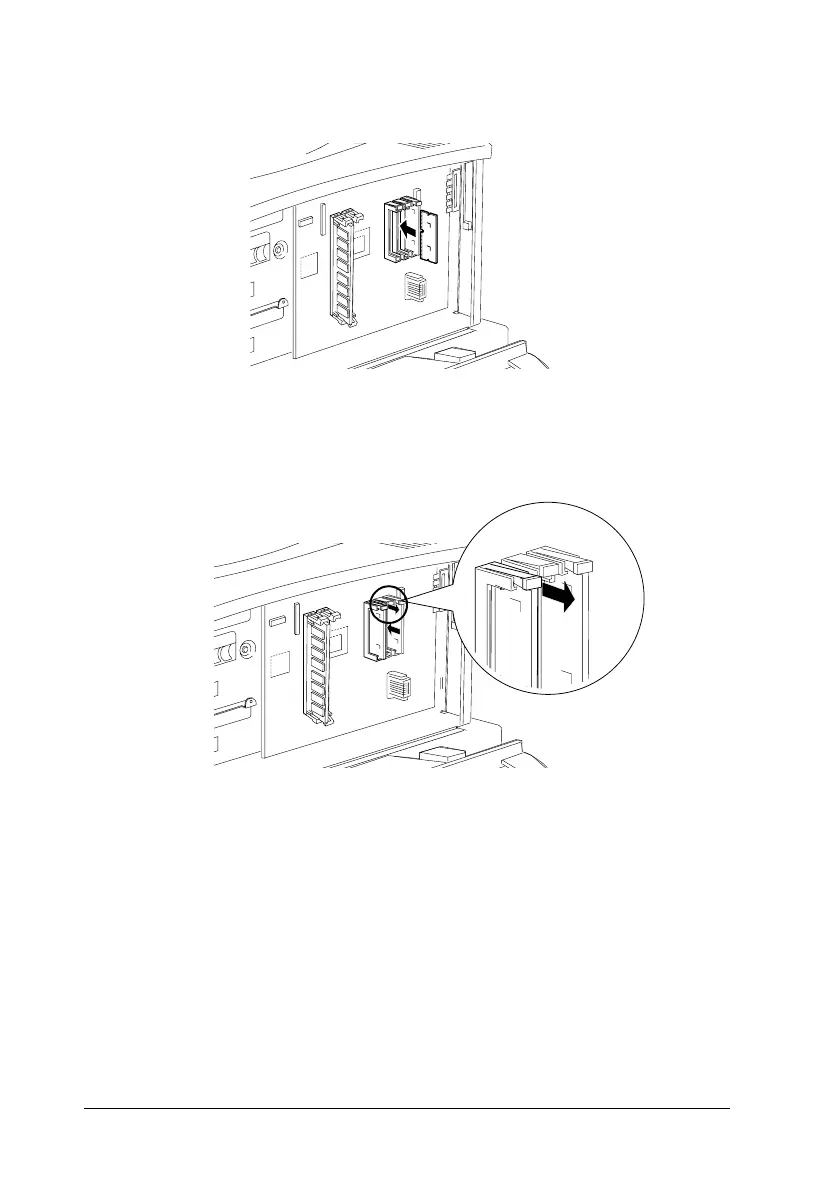
12. Insert the module all the way into slot A as shown below.
13. Make sure the tab on the left of the slot shown below will stick
out when the module is inserted correctly.
c
Caution:
❏ Do not force the ROM module into the slot.
❏ Be sure to insert the module facing the correct way.



 To Next Page