Setting Up the Printer 23
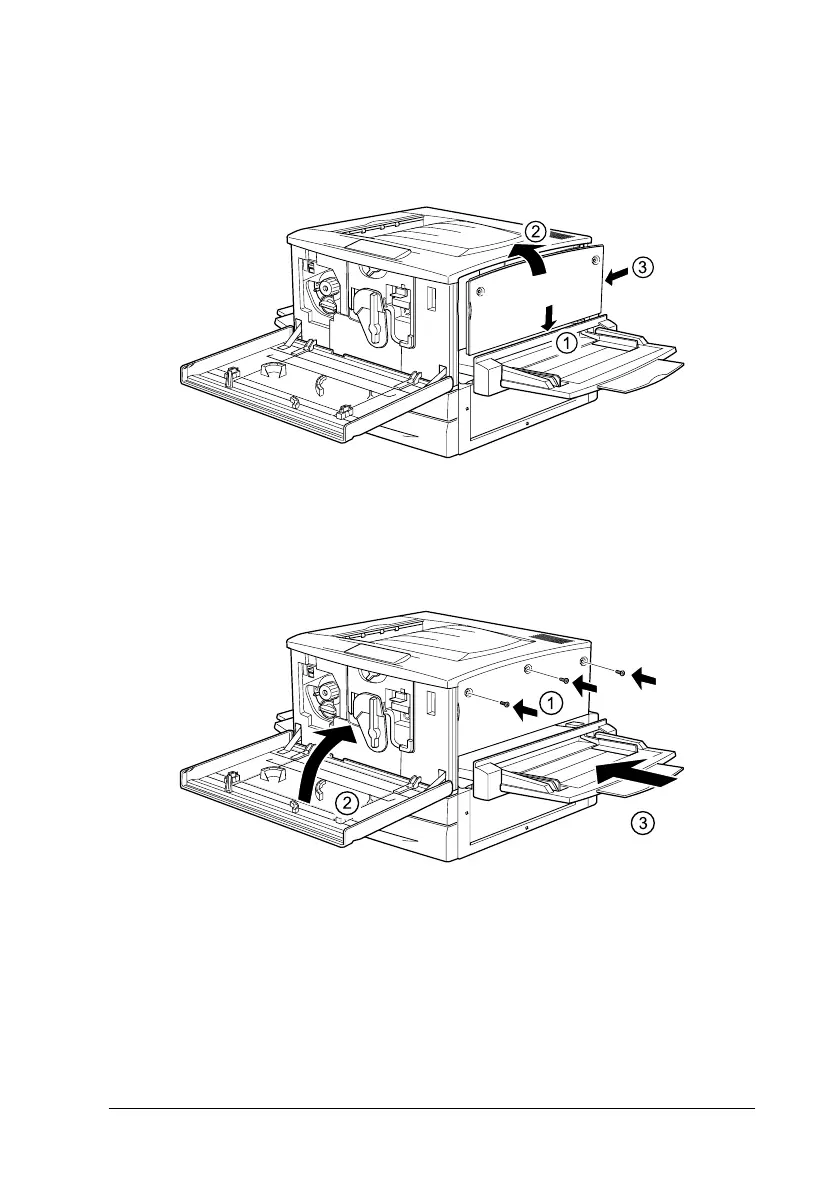
14. To reattach the right cover, align the bottom of the cover with
the right side of the printer, then fit the pins on the top of the
cover onto the holes on the printer.
15. Secure the right cover with the screws, then close the front
cover and push the paper path unit back into the printer.
16. Install the large capacity paper unit or 500-sheet paper
cassette unit as explained in the printer’s manual.



 To Next Page