24 Setting Up the Printer
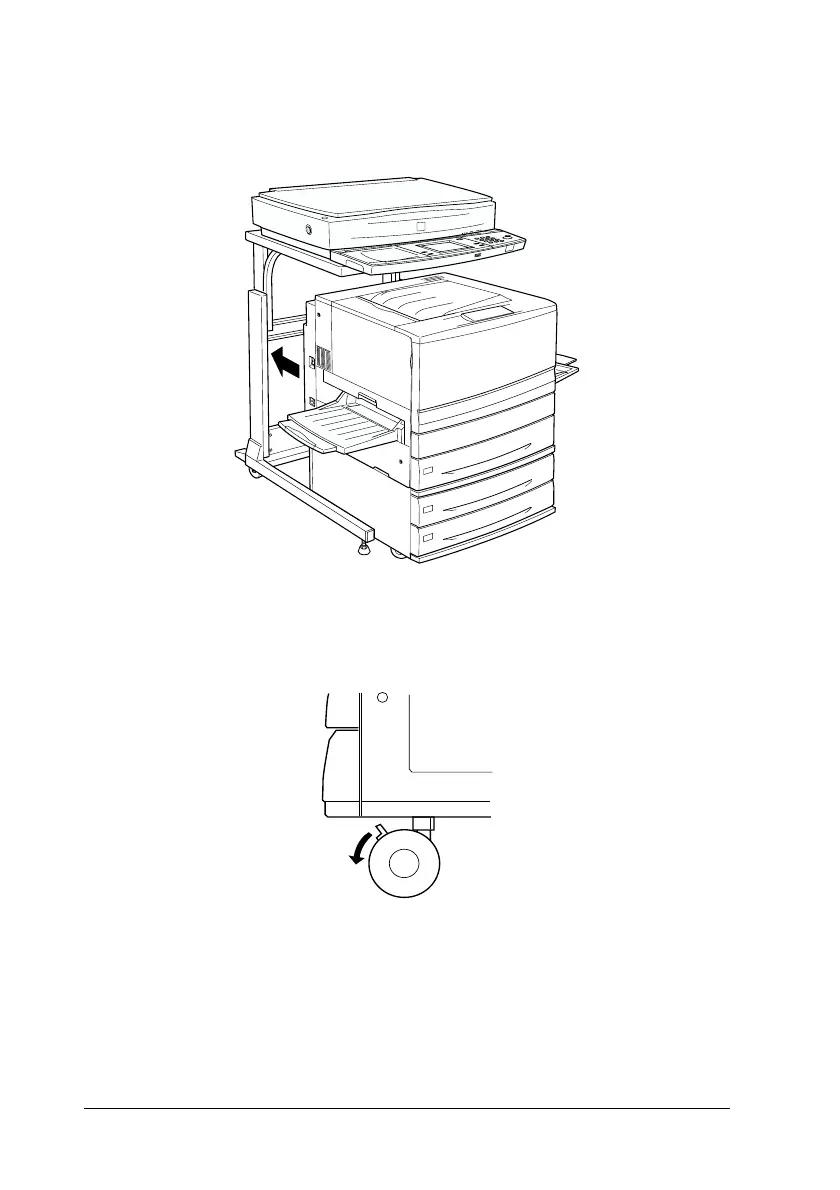
17. Roll the large capacity paper unit or 500-sheet paper cassette
unit and the printer into the cabinet.
18. Lock all casters on the bottom of the large capacity paper unit
or 500-sheet paper cassette unit.
w
Warning:
Make sure the casters are securely locked. Otherwise, the
printer may move and cause an accident.



 To Next Page