34 Testing the Copy Station
Copying
Once you have loaded paper and turned on the copy station, you
are ready to make test copies. Follow these steps.
1. Make sure the scanner’s READY light is on.
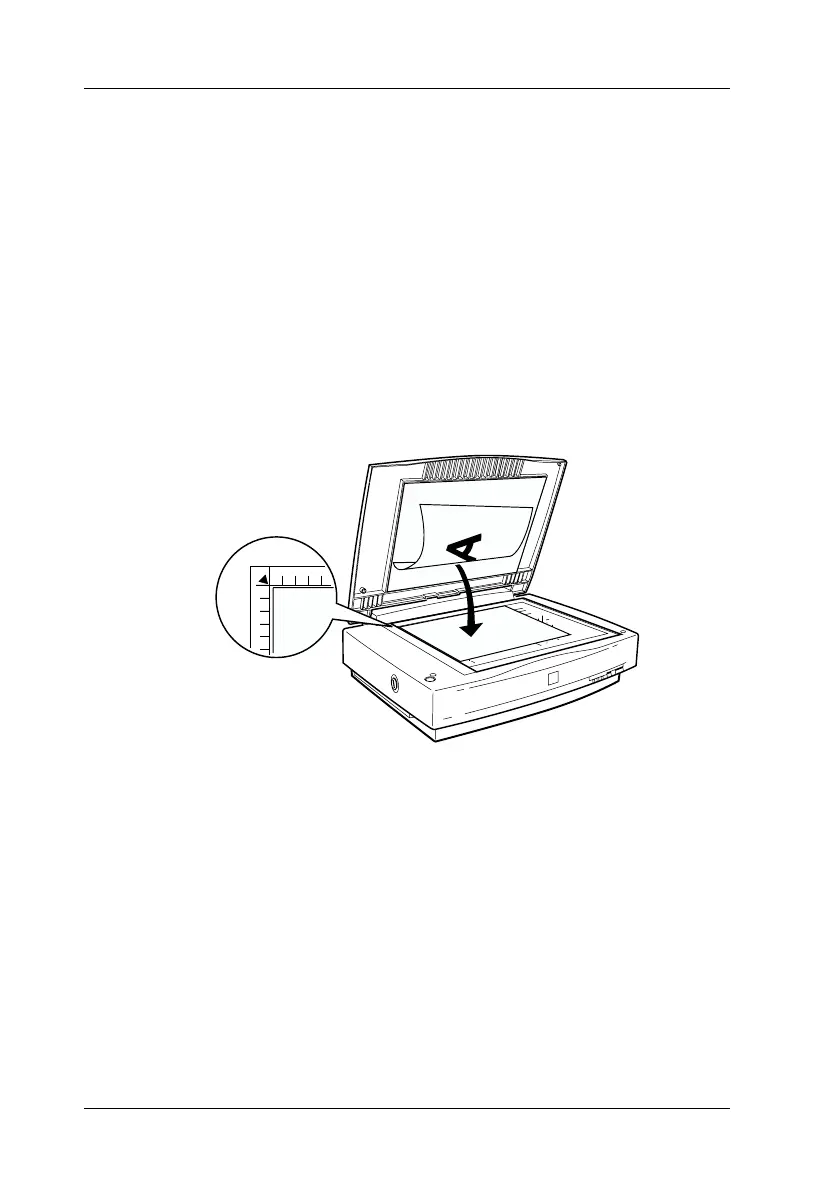
2. Open the document cover.
3. Place your document on the document table, with the side to
be scanned facing down. Make sure that the document is
carefully aligned.
Use the document guide strip to align the horizontal edge of
the document.
corner of the
document



 To Next Page