14
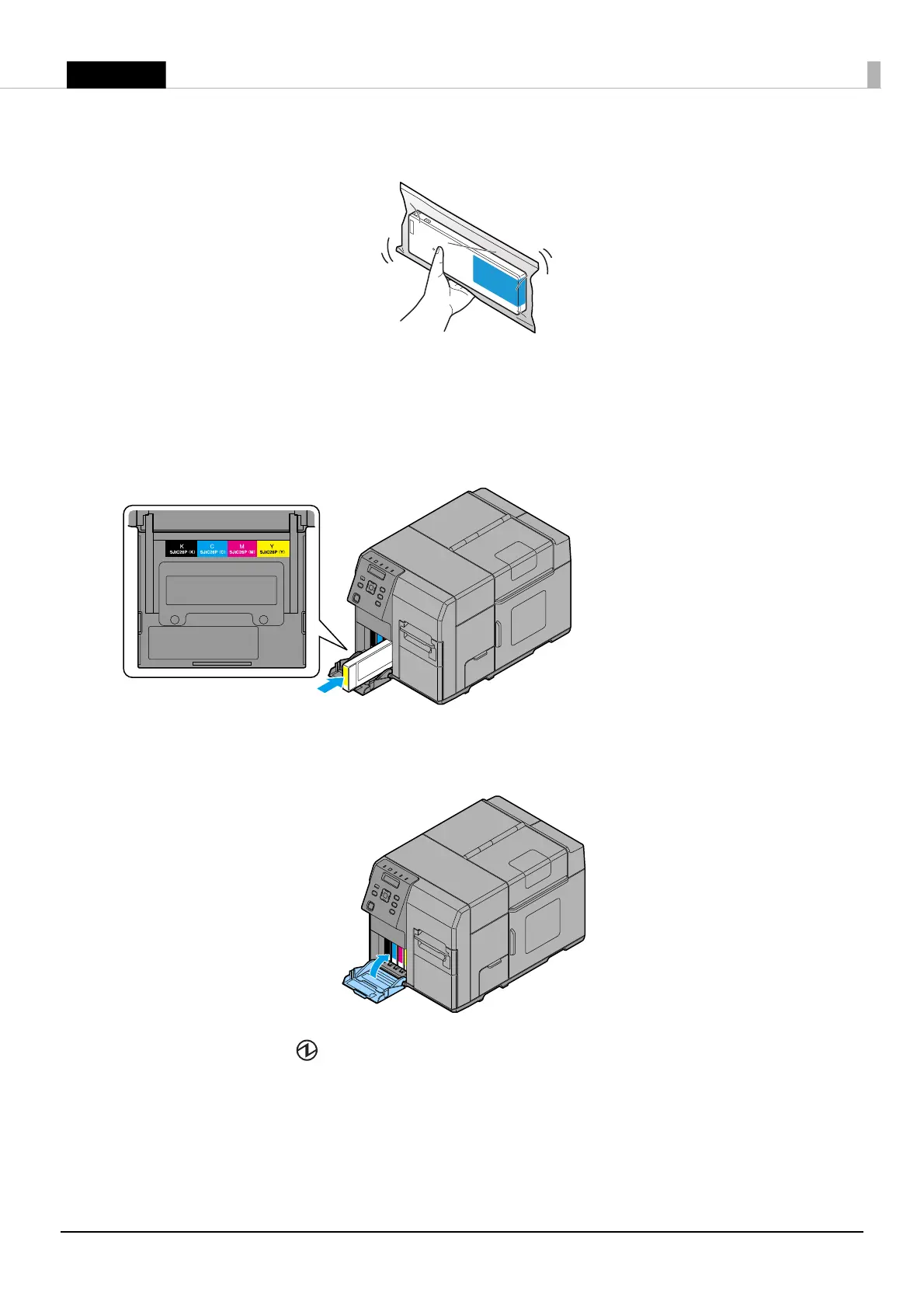
3. Shake the ink cartridge package four or five times before opening it.
4. Push all the ink cartridges of the four colors gently into the product until they click in place.
Check the color of the ink cartridge label and of the ink cartridge holder label, and set the cartridges to
each matching color.
5. Close the ink cartridge cover.
Ink charging starts. The (Power) LED flashes during ink charging.
Q
Notes:
The ink cartridge included in the product package is used for initial charging. The printer uses ink to prepare
for printing (ink charging) when the ink cartridge is installed for the first time.
It takes at least 10 minutes to charge ink. The ink charging time varies depending on the conditions.



 To Next Page
 Loading...