23
Examining the Nozzle Check Pattern
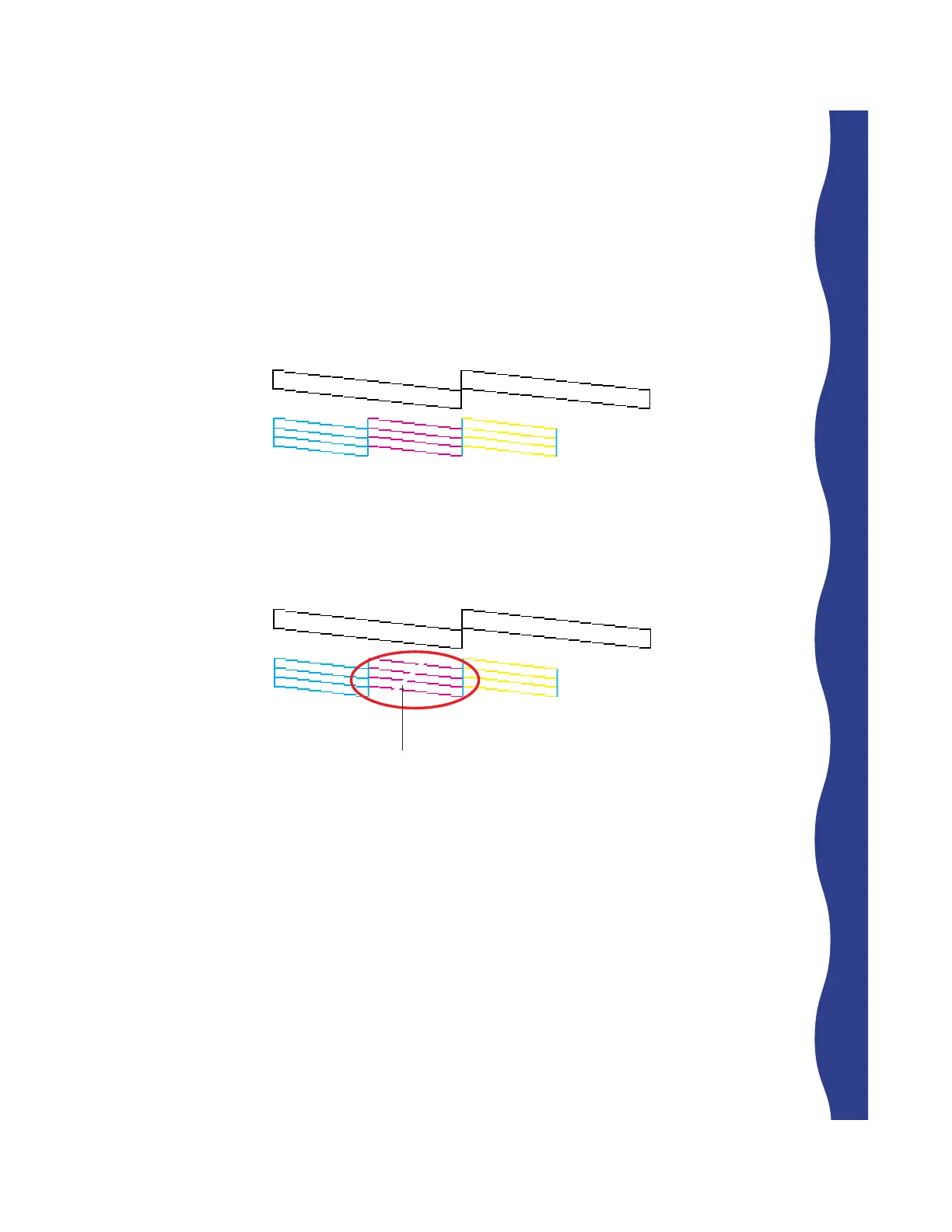
Examine the nozzle check pattern after printing it. It should look something like
this:
Each staggered horizontal and straight vertical line should be complete, with no
gaps in the dot pattern. If your printout looks okay, you’re done. If any dots are
missing, as shown below, clean the print head again.
missing dots










 To Next Page