48
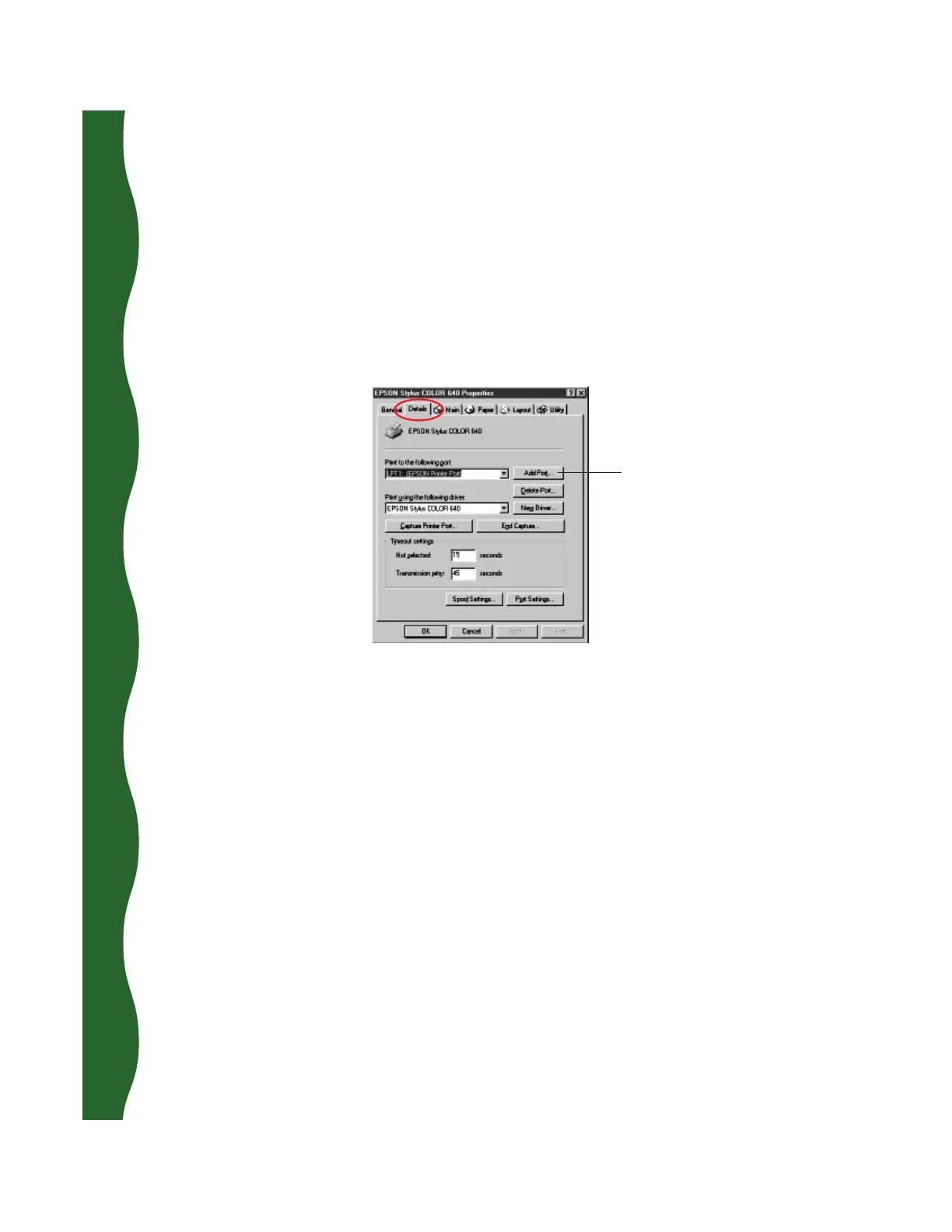
Click Add Port,
then specify
the network
path in the
dialog box that
appears
Setting Up Client Systems to Share the Printer
1. Click Start, point to Settings, and select Printers.
2. Right-click the EPSON Stylus COLOR 640 icon and choose Properties.
3. Click the Details tab. You see the following dialog box:
4. Click the Add Port button, then click Browse to specify the network path to
the printer.
5. Click OK to return to the Details dialog box, then click OK to save your
settings and exit.










 To Next Page