OT-WA34
OT-WA34 is an attachment that enables the printer to print on wristband. Attach this to the printer for printing on
wristband.
!
Caution
❏ Attach OT-WA34 only for printing on wristband (WB-L1/M1/S1). It is not necessary for printing on
any other type of paper or label.
❏ Be careful not to hurt yourself when attaching or removing OT-WA34 to/from the printer.
❏ Read the instruction manual included with the wristband to use it safely and correctly.
Attaching OT-WA34
A
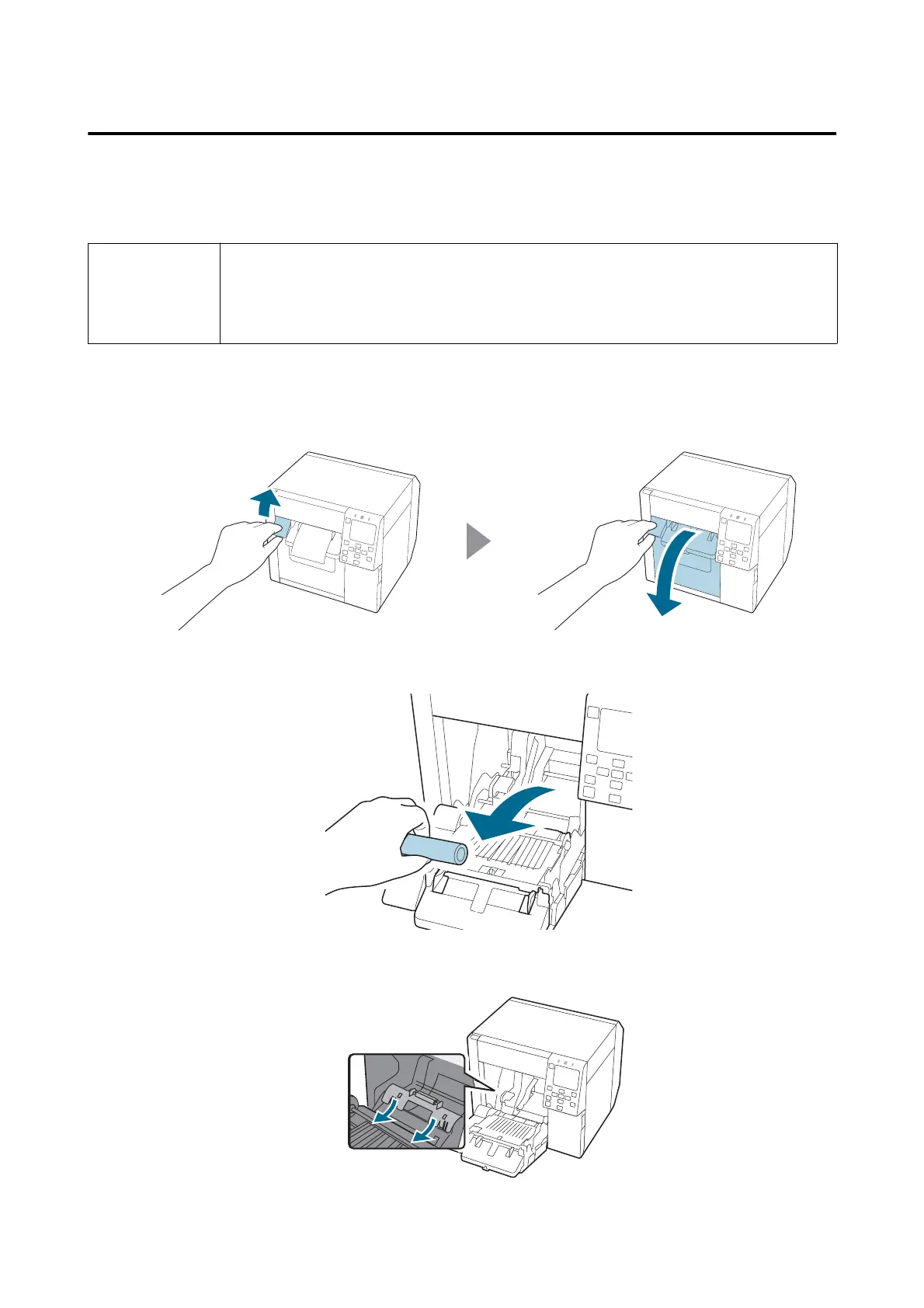
Open the front cover.
B
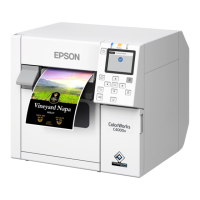
Remove roll paper or paper core from the printer.
C
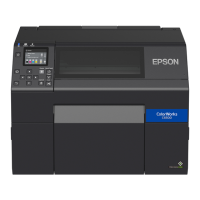
Attach the OT-WA34 by inserting it into the grooves inside the front cover.
CW-C4000 Series User’s Guide
Appendix
86



 To Next Page