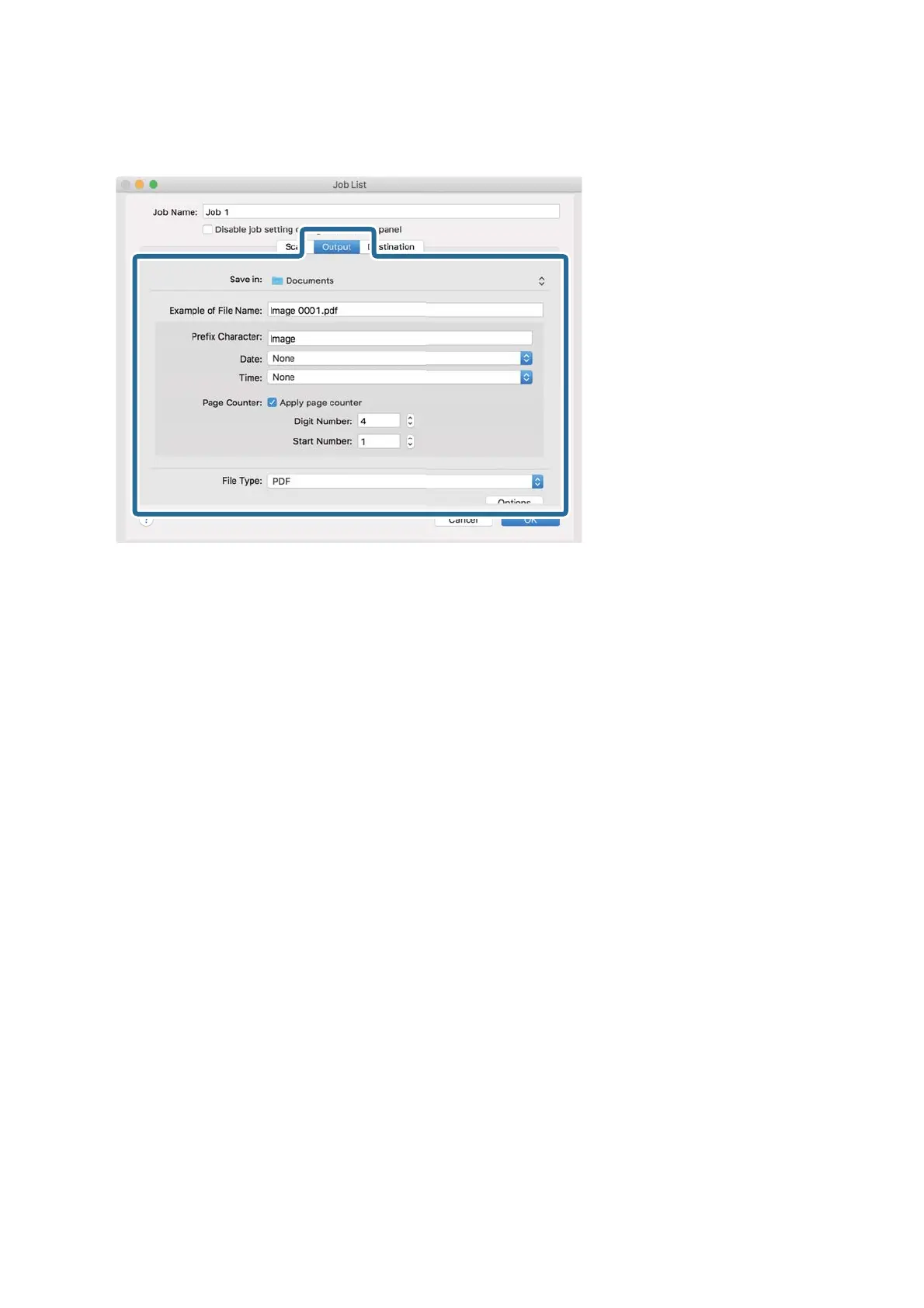
6. Click Output, and then make the output settings.
❏ Save in: Select the save folder for the scanned image.
❏ Example of File Name: Display an example of the
le
name for the current settings.
❏ Prex Character: Set a prex for the le name.
❏ Date: Add the date to the le name.
❏ Time : Add the time to the
le
name.
❏ Page Counter: Add the page counter to the le name.
❏ File Type: Select the save format from the list. Click Options to make detailed settings for the le.
User's Guide
Basic Scanning
32


 To Next Page